Django-Ninja Takeout

基于 7y 大佬的项目:Django Ninja 实战外卖项目

项目初始化

创建 Django 项目

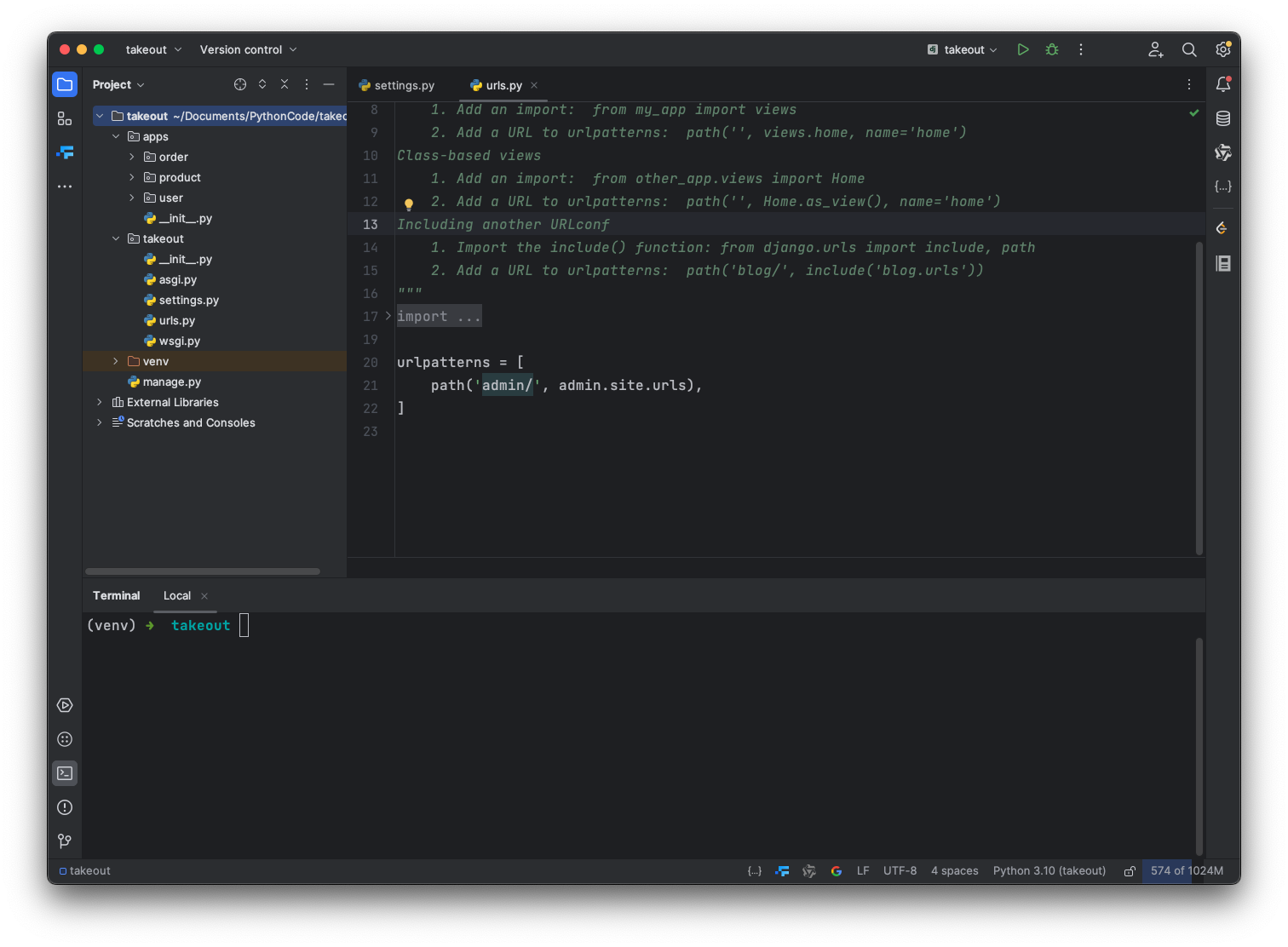
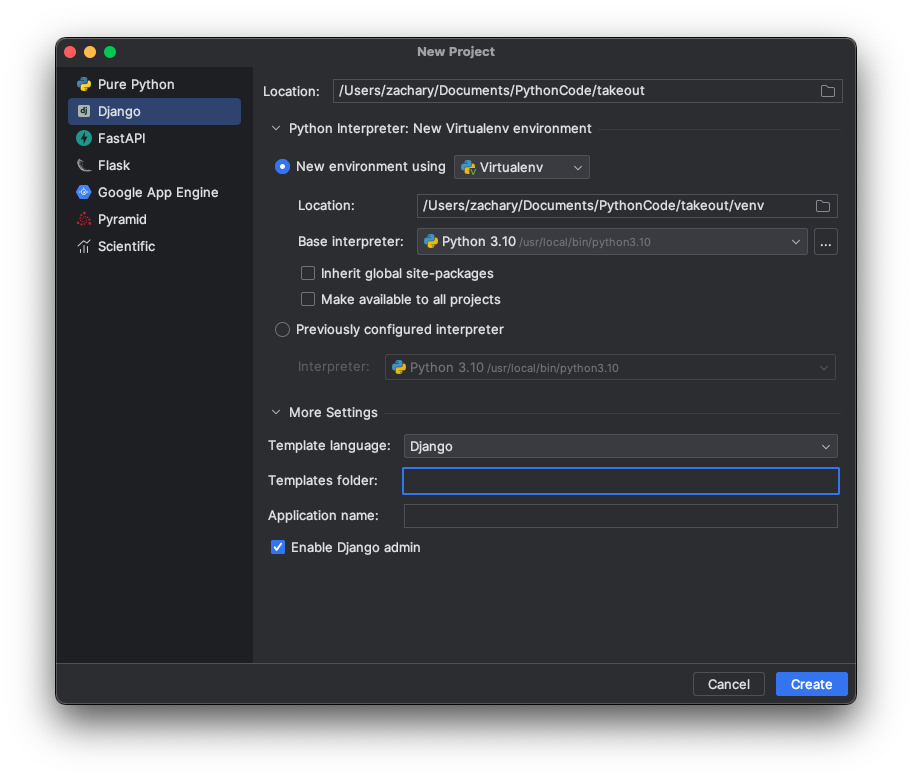
直接使用 PyCharm 创建一个 Django 项目
创建应用

这一步创建三个应用userproductorder

普通创建

通过脚本命令,执行python manage.py startapp [应用名称]来创建

1
2
3
(venv) ➜  takeout python manage.py startapp user
(venv) ➜ takeout python manage.py startapp product
(venv) ➜ takeout python manage.py startapp order

专业版创建

通过 Tools -> Run manage.py Task…打开执行脚本命令行
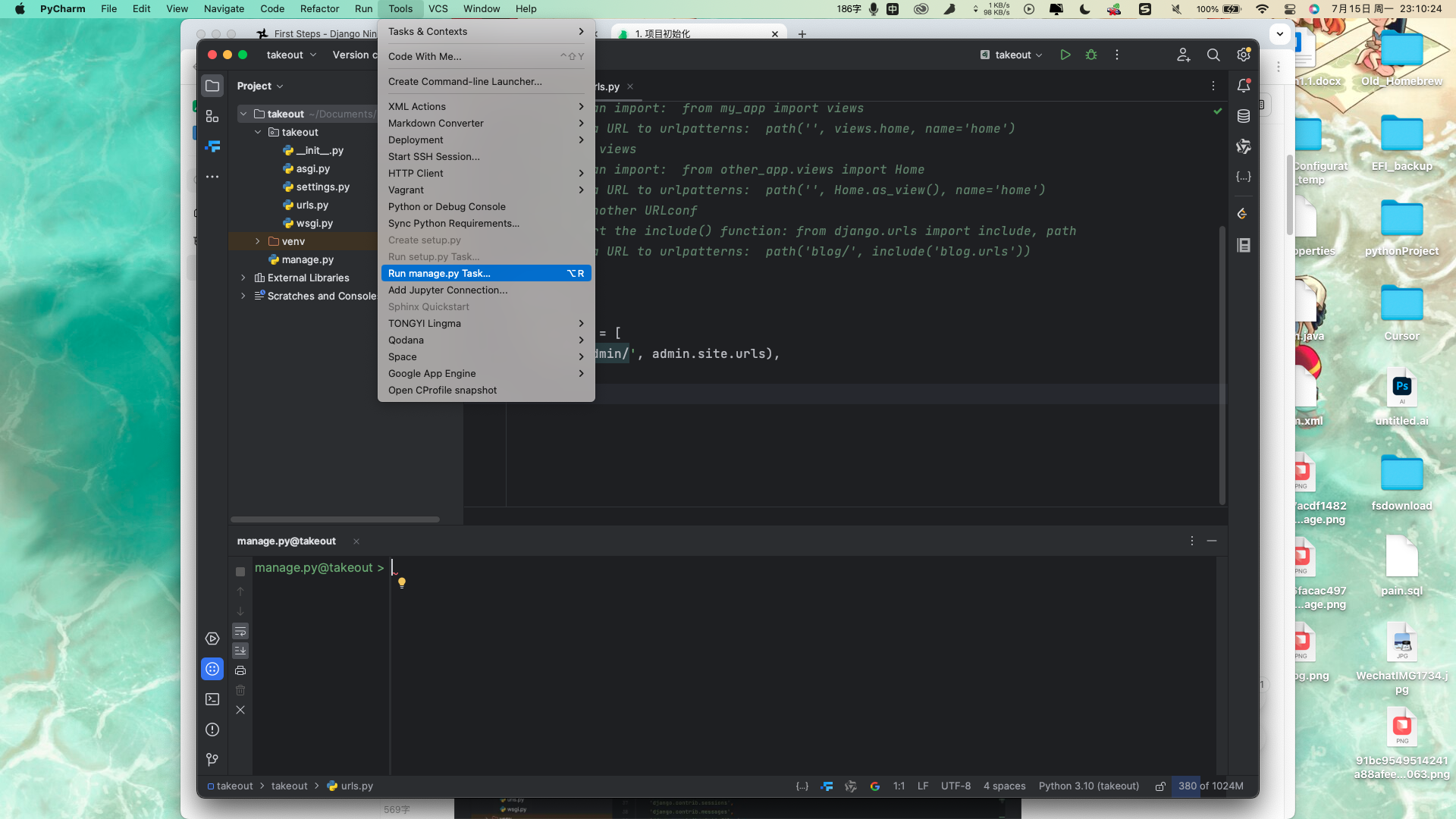
可以通过带有提示的命令脚本执行 manage 下的脚本命令
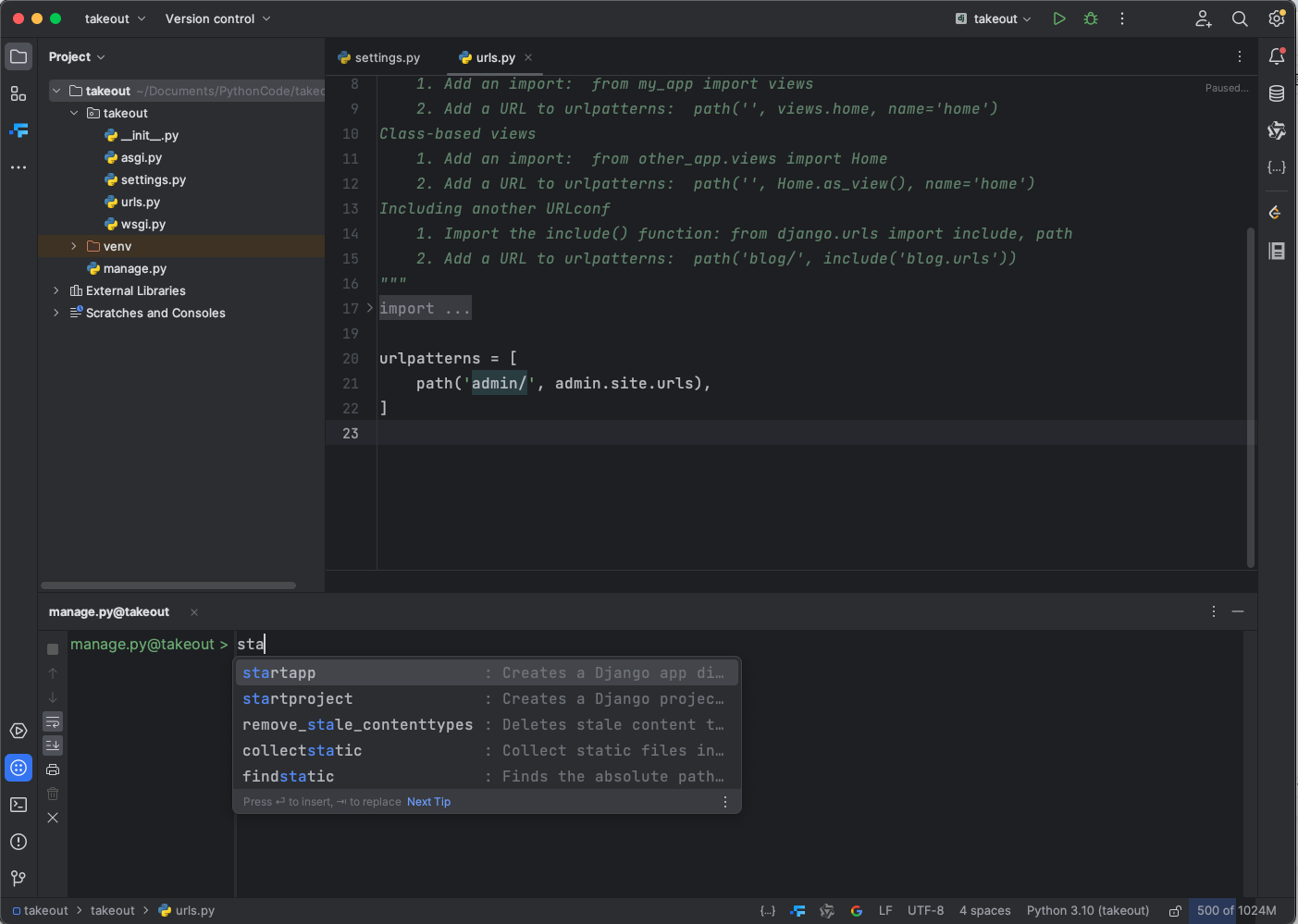
创建好三个应用之后,通过在项目目录下创建一个apps的包,将这三个应用移动至 apps 下

注册应用

在 Django 中需要把上面创建的 app 都注册进去

在/takeout/takeout/settings.py 中修改以下内容

1
2
3
4
5
6
7
8
9
10
11
12
13
14
15
16
# 解决跨域
ALLOWED_HOSTS = ['*']

# Application definition

INSTALLED_APPS = [
'django.contrib.admin',
'django.contrib.auth',
'django.contrib.contenttypes',
'django.contrib.sessions',
'django.contrib.messages',
'django.contrib.staticfiles',
'apps.user',
'apps.product',
'apps.order',
]

配置 Django-Ninja 依赖

安装 Ninja&pillow

pip install django-ninja pillow

配置静态路由

在/apps 下新建一个 api.py 文件

1
2
3
4
5
6
7
8
9
10
11
12
13
# -*- coding:utf-8 -*-
# Author: Zachary

from ninja import NinjaAPI

app = NinjaAPI(title="DjangoNinja-瑞吉外卖H5",
description="使用DjangoNinja实现《瑞吉外卖》项目")


@app.get("/index")
def index(request):
return "Hello Django Ninja"

在/takeout/urls.py 加入 app 的 url

1
2
3
4
5
6
7
8
9
from django.contrib import admin
from django.urls import path

from apps.api import app

urlpatterns = [
path('admin/', admin.site.urls),
path('', app.urls),
]

先在manage.py同级目录下创建文件夹/static, /media,再去takeout/takeout/settings.py有的修改、没有的追加

1
2
3
4
5
6
7
8
9
10
11
12
13
14
15
16
17
18
19
20
21
22
DEBUG = True
# 配置跨域
ALLOWED_HOSTS = ['*']
# 设置语言 -admin
LANGUAGE_CODE = "zh-hans"
# 设置时区
TIME_ZONE = "Asia/Shanghai"
# 添加static目录将前端工程一到目录下,这一步各位直接github去找static/fonrt
# https://github.com/zy7y/takeout # 追加内容
STATIC_ROOT = BASE_DIR / 'static'

FRONT_URL = 'front/'
FRONT_ROOT = BASE_DIR / 'static/front'

BACKEND_URL = 'backend/'
BACKEND_ROOT = BASE_DIR / 'static/backend'

# 并在takeout 目录下新建media目录 追加内容
# 图片资源访问路径, 注意新建media这个目录
MEDIA_URL = 'media/'
# 图片资源存放路径
MEDIA_ROOT =BASE_DIR / 'media'

添加 static 静态资源路径

1
2
3
4
5
6
7
8
9
10
11
12
13
14
15
16
17
18
19
20
21
22
23
24
25
26
27
28
29
30
31
32
33
34
35
36
37
38
39
40
41
42
43
44
"""
URL configuration for takeout project.

The `urlpatterns` list routes URLs to views. For more information please see:
https://docs.djangoproject.com/en/5.0/topics/http/urls/
Examples:
Function views
1. Add an import: from my_app import views
2. Add a URL to urlpatterns: path('', views.home, name='home')
Class-based views
1. Add an import: from other_app.views import Home
2. Add a URL to urlpatterns: path('', Home.as_view(), name='home')
Including another URLconf
1. Import the include() function: from django.urls import include, path
2. Add a URL to urlpatterns: path('blog/', include('blog.urls'))
"""
from django.conf.urls.static import static
from django.contrib import admin
from django.urls import path, re_path
from django.views.static import serve

from apps.api import app
from takeout import settings

urlpatterns = [
path('admin/', admin.site.urls),
path('', app.urls),
]

# 配置静态资源访问
if settings.DEBUG:
# H5 页面
urlpatterns += static(settings.FRONT_URL, document_root=settings.FRONT_ROOT)
urlpatterns += static(settings.BACKEND_URL, document_root=settings.BACKEND_ROOT)
urlpatterns += static(settings.MEDIA_URL, document_root=settings.MEDIA_ROOT)
else:
urlpatterns += [
re_path(r'^static/(?P<path>.*)$', serve, {'document_root': settings.STATIC_ROOT}, name='static'),
re_path(r'^front/(?P<path>.*)$', serve, {'document_root': settings.FRONT_ROOT}, name='front'),
re_path(r'^backend/(?P<path>.*)$', serve, {'document_root': settings.BACKEND_ROOT}, name='backend'),
# 上传图片资源
re_path(r'^media/(?P<path>.*)$', serve, {'document_root': settings.MEDIA_ROOT}, name='media'),
]

运行项目

1
2
3
4
5
6
7
8
# 生成表
python manage.py migrate
# 创建超级用户 密码随便你们输入
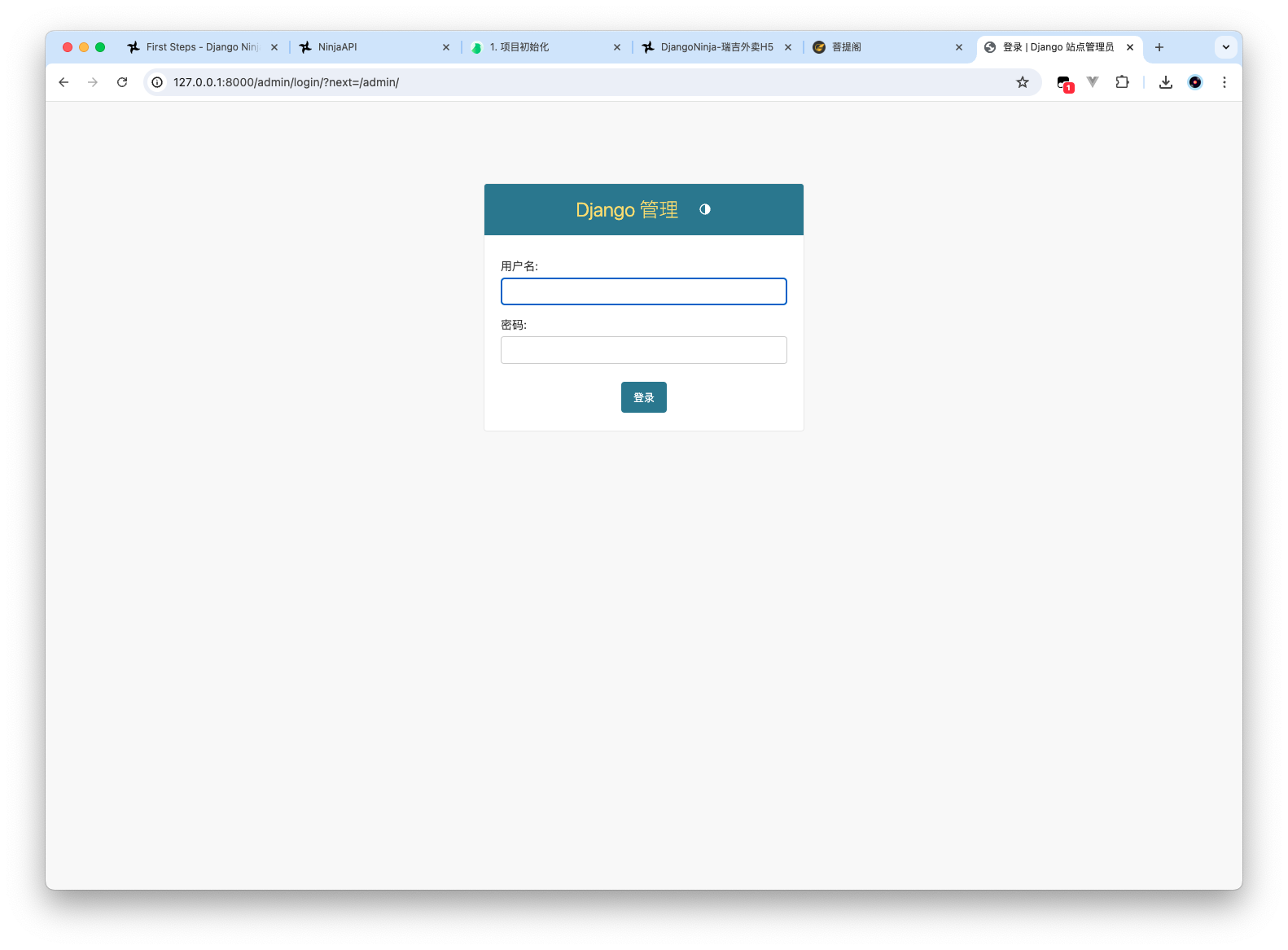
python manage.py createsuperuser --username admin
# 收集Django Admin文件
python manage.py collectstatic
# 启动服务
python manage.py runserver
1
2
3
4
5
6
7
8
9
10
11
12
13
14
15
16
17
18
19
20
21
22
23
24
25
26
27
28
29
30
31
32
33
34
35
36
37
38
39
40
41
42
43
44
45
46
47
48
49
50
51
52
53
54
(venv) ➜  takeout python manage.py migrate
Operations to perform:
Apply all migrations: admin, auth, contenttypes, sessions
Running migrations:
Applying contenttypes.0001_initial... OK
Applying auth.0001_initial... OK
Applying admin.0001_initial... OK
Applying admin.0002_logentry_remove_auto_add... OK
Applying admin.0003_logentry_add_action_flag_choices... OK
Applying contenttypes.0002_remove_content_type_name... OK
Applying auth.0002_alter_permission_name_max_length... OK
Applying auth.0003_alter_user_email_max_length... OK
Applying auth.0004_alter_user_username_opts... OK
Applying auth.0005_alter_user_last_login_null... OK
Applying auth.0006_require_contenttypes_0002... OK
Applying auth.0007_alter_validators_add_error_messages... OK
Applying auth.0008_alter_user_username_max_length... OK
Applying auth.0009_alter_user_last_name_max_length... OK
Applying auth.0010_alter_group_name_max_length... OK
Applying auth.0011_update_proxy_permissions... OK
Applying auth.0012_alter_user_first_name_max_length... OK
Applying sessions.0001_initial... OK
(venv) ➜ takeout python manage.py createsuperuser --username admin
电子邮件地址:
Password: ruser -- create a superuser
Password (again):
密码长度太短。密码必须包含至少 8 个字符。
这个密码太常见了。
密码只包含数字。
Bypass password validation and create user anyway? [y/N]: y
Superuser created successfully.
(venv) ➜ takeout python manage.py collectstatic

You have requested to collect static files at the destination
location as specified in your settings:

/Users/zachary/Documents/PythonCode/takeout/static

This will overwrite existing files!
Are you sure you want to do this?

Type 'yes' to continue, or 'no' to cancel: yes

126 static files copied to '/Users/zachary/Documents/PythonCode/takeout/static'.
(venv) ➜ takeout python manage.py runserver
Watching for file changes with StatReloader
Performing system checks...

System check identified no issues (0 silenced).
July 16, 2024 - 00:25:44
Django version 5.0.7, using settings 'takeout.settings'
Starting development server at http://127.0.0.1:8000/
Quit the server with CONTROL-C.

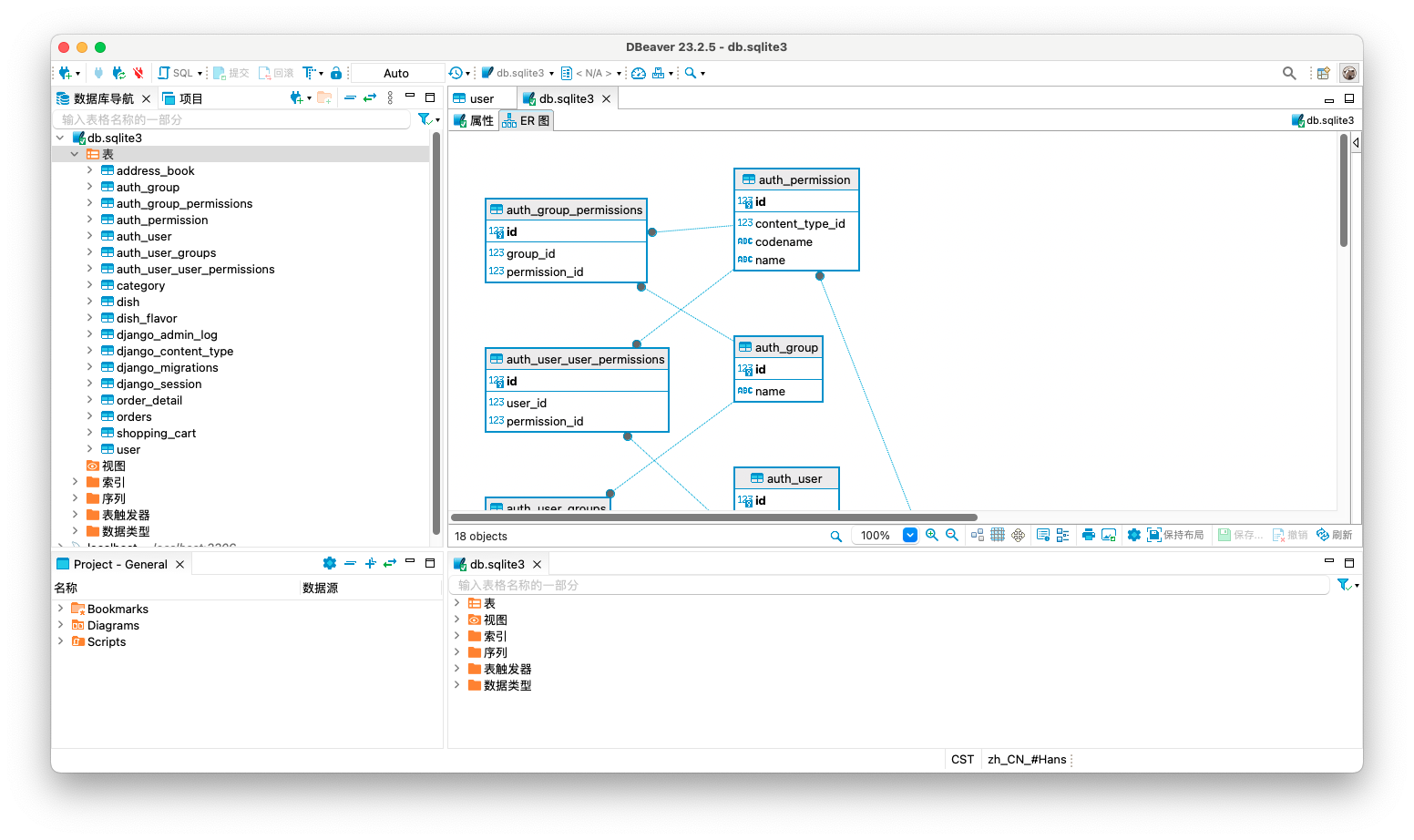
模型类

user

编写用户信息表和地址的模型类

1
2
3
4
5
6
7
8
9
10
11
12
13
14
15
16
17
18
19
20
21
22
23
24
25
26
27
28
29
30
31
32
33
34
35
36
37
38
39
40
41
42
43
44
45
46
47
48
49
50
51
52
53
54
55
56
57
58
59
60
61
62
63
64
65
66
from django.db import models


# Create your models here.

class User(models.Model):
# 不定义主键默认会给一个自增长的 id
name = models.CharField(max_length=50, blank=True, null=True, db_comment='姓名', verbose_name='姓名')
phone = models.CharField(max_length=100, db_comment='手机号', verbose_name='手机号')
status = models.IntegerField(blank=True, null=True, db_comment='状态 0:禁用,1:正常', verbose_name='状态')
create_time = models.DateTimeField(db_comment='创建时间', auto_now_add=True)
update_time = models.DateTimeField(db_comment='更新时间', auto_now=True, verbose_name='更新时间')

def __str__(self):
return self.phone

class Meta:
# managed = False
# 数据库的表名
db_table = 'user'
# 数据库表备注
db_table_comment = '用户信息'
# verbose_name django admin 显示的
verbose_name = '用户'
verbose_name_plural = '用户管理'


class AddressBook(models.Model):
# 数据库层面没绑定物理关系,字段是可空的外键字段,它允许引用的 User 对象不存在,并且在关联的 User 对象被删除时,user_id 字段的值将被设置为 NULL。
# 数据库寸的字端其实就是user_id, user表的主键
user = models.ForeignKey(User, db_constraint=False, on_delete=models.SET_NULL, null=True, verbose_name="用户")
# user_id = models.BigIntegerField(db_comment='用户id')
consignee = models.CharField(max_length=50, db_comment='收货人', verbose_name='收货人')
sex = models.IntegerField(db_comment='性别 0 女 1 男', verbose_name='性别')
phone = models.CharField(max_length=11, db_comment='手机号', verbose_name='手机号')
province_code = models.CharField(max_length=12, blank=True, null=True,
db_comment='省级区划编号')
province_name = models.CharField(max_length=32, blank=True, null=True,
db_comment='省级名称')
city_code = models.CharField(max_length=12, blank=True, null=True,
db_comment='市级区划编号')
city_name = models.CharField(max_length=32, blank=True, null=True,
db_comment='市级名称')
district_code = models.CharField(max_length=12, blank=True, null=True,
db_comment='区级区划编号')
district_name = models.CharField(max_length=32, blank=True, null=True,
db_comment='区级名称')
detail = models.CharField(max_length=200, blank=True, null=True,
db_comment='详细地址', verbose_name='详细地址')
label = models.CharField(max_length=100, blank=True, null=True,
db_comment='标签', verbose_name='标签')
is_default = models.IntegerField(db_comment='默认 0 否 1是', default=0, verbose_name='是否默认')
create_time = models.DateTimeField(db_comment='创建时间', auto_now_add=True)
update_time = models.DateTimeField(db_comment='更新时间', auto_now=True, verbose_name='更新时间')

def __str__(self):
return self.detail

class Meta:
# 为False Django 不管理表他的迁移、创建;实际工作中用到的多;我们需要创建表所以注释即可
# managed = False
db_table = 'address_book'
db_table_comment = '地址管理'
verbose_name = '地址'
verbose_name_plural = '地址管理'

product

编写菜品类

1
2
3
4
5
6
7
8
9
10
11
12
13
14
15
16
17
18
19
20
21
22
23
24
25
26
27
28
29
30
31
32
33
34
35
36
37
38
39
40
41
42
43
44
45
46
47
48
49
50
51
52
53
54
55
56
57
58
59
60
61
62
63
64
65
66
67
68
69
70
71
72
from django.db import models


# Create your models here.

class Category(models.Model):
# 套餐相关我们不做所以默认1就行了
type = models.IntegerField(blank=True, null=True, db_comment='类型 1 菜品分类 2 套餐分类', default=1)
name = models.CharField(unique=True, max_length=64, db_comment='分类名称', verbose_name='分类名称')
sort = models.IntegerField(db_comment='顺序', verbose_name='顺序')
create_time = models.DateTimeField(db_comment='创建时间', auto_now_add=True)
update_time = models.DateTimeField(db_comment='更新时间', auto_now=True, verbose_name='更新时间')

def __str__(self):
return self.name

class Meta:
# managed = False
db_table = 'category'
db_table_comment = '菜品及套餐分类'

verbose_name = '菜品分类'
verbose_name_plural = '菜品分类管理'


class Dish(models.Model):
name = models.CharField(unique=True, max_length=64, db_comment='菜品名称', verbose_name="菜品名称")
# 1个分类有多个商品
category = models.ForeignKey(Category, db_constraint=False, on_delete=models.SET_NULL, null=True,
verbose_name="菜品分类")
# category_id = models.BigIntegerField(db_comment='菜品分类id')
price = models.DecimalField(max_digits=10, decimal_places=2, blank=True, null=True, db_comment='菜品价格',
verbose_name='菜品价格')
code = models.CharField(max_length=64, db_comment='商品码', verbose_name='商品码')
image = models.ImageField(upload_to="product/", verbose_name='图片', db_comment='图片')
# image = models.CharField(max_length=200, db_comment='图片',)
description = models.CharField(max_length=400, blank=True, null=True, db_comment='描述信息')
status = models.IntegerField(db_comment='0 停售 1 起售', verbose_name='售卖状态')
sort = models.IntegerField(db_comment='顺序', verbose_name='顺序')
create_time = models.DateTimeField(db_comment='创建时间', auto_now_add=True)
update_time = models.DateTimeField(db_comment='更新时间', auto_now=True, verbose_name='更新时间')

def __str__(self):
return self.name

class Meta:
# managed = False
db_table = 'dish'
db_table_comment = '菜品管理'

verbose_name = '菜品'
verbose_name_plural = '菜品管理'


class DishFlavor(models.Model):
dish = models.ForeignKey(Dish, db_constraint=False, on_delete=models.SET_NULL, null=True, db_comment='菜品',
verbose_name="菜品")
name = models.CharField(max_length=64, db_comment='口味名称', verbose_name="口味名称")
value = models.JSONField(blank=True, null=True, db_comment='口味数据list', verbose_name="口味详情")
create_time = models.DateTimeField(db_comment='创建时间', auto_now_add=True)
update_time = models.DateTimeField(db_comment='更新时间', auto_now=True, verbose_name='更新时间')

def __str__(self):
return self.name

class Meta:
# managed = False
db_table = 'dish_flavor'
db_table_comment = '菜品口味关系表'

verbose_name = '口味'
verbose_name_plural = '口味管理'

order

编写订单类

1
2
3
4
5
6
7
8
9
10
11
12
13
14
15
16
17
18
19
20
21
22
23
24
25
26
27
28
29
30
31
32
33
34
35
36
37
38
39
40
41
42
43
44
45
46
47
48
49
50
51
52
53
54
55
56
57
58
59
60
61
62
63
64
65
66
67
68
69
from django.db import models

from apps.product.models import Dish
from apps.user.models import User, AddressBook


# Create your models here.

class Orders(models.Model):
number = models.CharField(max_length=50, blank=True, null=True, db_comment='订单号')
status = models.IntegerField(db_comment='订单状态 1待付款,2待派送,3已派送,4已完成,5已取消', verbose_name='订单状态')
user = models.ForeignKey(User, db_constraint=False, null=True, on_delete=models.SET_NULL,
db_comment='下单用户', verbose_name="用户")
address_book = models.ForeignKey(AddressBook, null=True, db_constraint=False, on_delete=models.SET_NULL,
db_comment='地址id', verbose_name="地址")
order_time = models.DateTimeField(db_comment='下单时间', verbose_name="下单时间")
checkout_time = models.DateTimeField(db_comment='结账时间', verbose_name="结账时间")
pay_method = models.IntegerField(db_comment='支付方式 1微信,2支付宝', default=1, verbose_name="支付方式")
amount = models.DecimalField(max_digits=10, decimal_places=2, db_comment='实收金额', verbose_name='实收金额')
remark = models.CharField(max_length=100, blank=True, null=True, db_comment='备注', verbose_name='备注')

def __str__(self):
return self.number

class Meta:
db_table = 'orders'
db_table_comment = '订单表'

verbose_name = '订单'
verbose_name_plural = '订单管理'


class OrderDetail(models.Model):
order = models.ForeignKey(Orders, db_constraint=False, on_delete=models.SET_NULL, null=True,
db_comment='订单id', verbose_name='订单')
dish = models.ForeignKey(Dish, db_constraint=False, on_delete=models.SET_NULL, blank=True, null=True,
db_comment='菜品id'
, verbose_name='菜品')
dish_flavor = models.CharField(max_length=50, blank=True, null=True, db_comment='口味', verbose_name='口味')
number = models.IntegerField(db_comment='数量', verbose_name='数量')
amount = models.DecimalField(max_digits=10, decimal_places=2, db_comment='金额', verbose_name='金额')

def __str__(self):
if self.order:
return self.order.number

class Meta:
# managed = False
db_table = 'order_detail'
db_table_comment = '订单明细表'

verbose_name = '订单明细'


class ShoppingCart(models.Model):
user = models.ForeignKey(User, db_constraint=False, null=True, on_delete=models.SET_NULL,
db_comment='用户')
dish = models.ForeignKey(Dish, db_constraint=False, on_delete=models.SET_NULL, blank=True, null=True,
db_comment='菜品')
dish_flavor = models.CharField(max_length=50, blank=True, null=True, db_comment='口味')
number = models.IntegerField(db_comment='数量')
amount = models.DecimalField(max_digits=10, decimal_places=2, db_comment='金额')
create_time = models.DateTimeField(blank=True, null=True, db_comment='创建时间', auto_now_add=True)

class Meta:
# 购物车我们不需要后台管理
# managed = False
db_table = 'shopping_cart'
db_table_comment = '购物车'

迁移并生成表到 SQLite

执行以下迁移命令即可

1
2
3
4
5
6
7
8
9
10
11
12
13
14
15
16
17
18
19
20
21
22
23
24
25
26
27
28
29
30
31
32
33
34
35
36
37
38
39
40
41
42
43
44
45
46
47
48
49
50
51
52
53
54
55
56
57
58
59
60
61
62
63
64
65
66
67
68
69
70
71
72
73
74
75
76
77
78
79
80
81
82
83
84
85
86
87
88
89
90
91
92
93
(venv) ➜  takeout python manage.py makemigrations
Migrations for 'product':
apps/product/migrations/0001_initial.py
- Create model Category
- Create model Dish
- Create model DishFlavor
Migrations for 'user':
apps/user/migrations/0001_initial.py
- Create model User
- Create model AddressBook
Migrations for 'order':
apps/order/migrations/0001_initial.py
- Create model Orders
- Create model OrderDetail
- Create model ShoppingCart

(venv) ➜ takeout python manage.py migrate
System check identified some issues:

WARNINGS:
order.OrderDetail.amount: (fields.W163) SQLite does not support comments on columns (db_comment).
order.OrderDetail.dish: (fields.W163) SQLite does not support comments on columns (db_comment).
order.OrderDetail.dish_flavor: (fields.W163) SQLite does not support comments on columns (db_comment).
order.OrderDetail.number: (fields.W163) SQLite does not support comments on columns (db_comment).
order.OrderDetail.order: (fields.W163) SQLite does not support comments on columns (db_comment).
order.OrderDetail: (models.W046) SQLite does not support comments on tables (db_table_comment).
order.Orders.address_book: (fields.W163) SQLite does not support comments on columns (db_comment).
order.Orders.amount: (fields.W163) SQLite does not support comments on columns (db_comment).
order.Orders.checkout_time: (fields.W163) SQLite does not support comments on columns (db_comment).
order.Orders.number: (fields.W163) SQLite does not support comments on columns (db_comment).
order.Orders.order_time: (fields.W163) SQLite does not support comments on columns (db_comment).
order.Orders.pay_method: (fields.W163) SQLite does not support comments on columns (db_comment).
order.Orders.remark: (fields.W163) SQLite does not support comments on columns (db_comment).
order.Orders.status: (fields.W163) SQLite does not support comments on columns (db_comment).
order.Orders.user: (fields.W163) SQLite does not support comments on columns (db_comment).
order.Orders: (models.W046) SQLite does not support comments on tables (db_table_comment).
order.ShoppingCart.amount: (fields.W163) SQLite does not support comments on columns (db_comment).
order.ShoppingCart.create_time: (fields.W163) SQLite does not support comments on columns (db_comment).
order.ShoppingCart.dish: (fields.W163) SQLite does not support comments on columns (db_comment).
order.ShoppingCart.dish_flavor: (fields.W163) SQLite does not support comments on columns (db_comment).
order.ShoppingCart.number: (fields.W163) SQLite does not support comments on columns (db_comment).
order.ShoppingCart.user: (fields.W163) SQLite does not support comments on columns (db_comment).
order.ShoppingCart: (models.W046) SQLite does not support comments on tables (db_table_comment).
product.Category.create_time: (fields.W163) SQLite does not support comments on columns (db_comment).
product.Category.name: (fields.W163) SQLite does not support comments on columns (db_comment).
product.Category.sort: (fields.W163) SQLite does not support comments on columns (db_comment).
product.Category.type: (fields.W163) SQLite does not support comments on columns (db_comment).
product.Category.update_time: (fields.W163) SQLite does not support comments on columns (db_comment).
product.Category: (models.W046) SQLite does not support comments on tables (db_table_comment).
product.Dish.code: (fields.W163) SQLite does not support comments on columns (db_comment).
product.Dish.create_time: (fields.W163) SQLite does not support comments on columns (db_comment).
product.Dish.description: (fields.W163) SQLite does not support comments on columns (db_comment).
product.Dish.image: (fields.W163) SQLite does not support comments on columns (db_comment).
product.Dish.name: (fields.W163) SQLite does not support comments on columns (db_comment).
product.Dish.price: (fields.W163) SQLite does not support comments on columns (db_comment).
product.Dish.sort: (fields.W163) SQLite does not support comments on columns (db_comment).
product.Dish.status: (fields.W163) SQLite does not support comments on columns (db_comment).
product.Dish.update_time: (fields.W163) SQLite does not support comments on columns (db_comment).
product.Dish: (models.W046) SQLite does not support comments on tables (db_table_comment).
product.DishFlavor.create_time: (fields.W163) SQLite does not support comments on columns (db_comment).
product.DishFlavor.dish: (fields.W163) SQLite does not support comments on columns (db_comment).
product.DishFlavor.name: (fields.W163) SQLite does not support comments on columns (db_comment).
product.DishFlavor.update_time: (fields.W163) SQLite does not support comments on columns (db_comment).
product.DishFlavor.value: (fields.W163) SQLite does not support comments on columns (db_comment).
product.DishFlavor: (models.W046) SQLite does not support comments on tables (db_table_comment).
user.AddressBook.city_code: (fields.W163) SQLite does not support comments on columns (db_comment).
user.AddressBook.city_name: (fields.W163) SQLite does not support comments on columns (db_comment).
user.AddressBook.consignee: (fields.W163) SQLite does not support comments on columns (db_comment).
user.AddressBook.create_time: (fields.W163) SQLite does not support comments on columns (db_comment).
user.AddressBook.detail: (fields.W163) SQLite does not support comments on columns (db_comment).
user.AddressBook.district_code: (fields.W163) SQLite does not support comments on columns (db_comment).
user.AddressBook.district_name: (fields.W163) SQLite does not support comments on columns (db_comment).
user.AddressBook.is_default: (fields.W163) SQLite does not support comments on columns (db_comment).
user.AddressBook.label: (fields.W163) SQLite does not support comments on columns (db_comment).
user.AddressBook.phone: (fields.W163) SQLite does not support comments on columns (db_comment).
user.AddressBook.province_code: (fields.W163) SQLite does not support comments on columns (db_comment).
user.AddressBook.province_name: (fields.W163) SQLite does not support comments on columns (db_comment).
user.AddressBook.sex: (fields.W163) SQLite does not support comments on columns (db_comment).
user.AddressBook.update_time: (fields.W163) SQLite does not support comments on columns (db_comment).
user.AddressBook: (models.W046) SQLite does not support comments on tables (db_table_comment).
user.User.create_time: (fields.W163) SQLite does not support comments on columns (db_comment).
user.User.name: (fields.W163) SQLite does not support comments on columns (db_comment).
user.User.phone: (fields.W163) SQLite does not support comments on columns (db_comment).
user.User.status: (fields.W163) SQLite does not support comments on columns (db_comment).
user.User.update_time: (fields.W163) SQLite does not support comments on columns (db_comment).
user.User: (models.W046) SQLite does not support comments on tables (db_table_comment).
Operations to perform:
Apply all migrations: admin, auth, contenttypes, order, product, sessions, user
Running migrations:
Applying user.0001_initial... OK
Applying product.0001_initial... OK
Applying order.0001_initial... OK
(venv) ➜ takeout

管理后台

User 管理

调整 User

给 status 添加一个选择列表,可以再 admin 管理后台看到

1
2
3
4
5
6
7
8
9
10
11
12
13
14
15
16
17
18
19
20
21
22
23
24
25
26
27
28
29
30
31
32
33
34
35
36
37
38
39
40
41
42
43
44
45
46
47
48
49
50
51
52
53
54
55
56
57
58
59
60
61
62
63
64
65
66
67
68
69
70
71
72
73
74
75
76
77
78
79
80
81
82
83
84
85
86
87
88
89
90
91
92
93
94
95
96
from django.db import models


# Create your models here.


class User(models.Model):
# 不定义主键默认会给一个自增长的 id
# choices 选择项字段只能在这里面选 前面数字入库,后面表示django admin展示文本
STATUS_CHOICES = (
(0, '禁用'),
(1, '正常')
)
name = models.CharField(
max_length=50, blank=True, null=True, db_comment="姓名", verbose_name="姓名"
)
phone = models.CharField(max_length=100, db_comment="手机号", verbose_name="手机号")
status = models.IntegerField(choices=STATUS_CHOICES,
blank=True, null=True, db_comment="状态 0:禁用,1:正常", verbose_name="状态"
)
create_time = models.DateTimeField(db_comment="创建时间", auto_now_add=True)
update_time = models.DateTimeField(
db_comment="更新时间", auto_now=True, verbose_name="更新时间"
)

def __str__(self):
return self.phone

class Meta:
# managed = False
# 数据库的表名
db_table = "user"
# 数据库表备注
db_table_comment = "用户信息"
# verbose_name django admin 显示的
verbose_name = "用户"
verbose_name_plural = "用户管理"


class AddressBook(models.Model):
# 数据库层面没绑定物理关系,字段是可空的外键字段,它允许引用的 User 对象不存在,并且在关联的 User 对象被删除时,user_id 字段的值将被设置为 NULL。
# 数据库寸的字端其实就是user_id, user表的主键
user = models.ForeignKey(
User,
db_constraint=False,
on_delete=models.SET_NULL,
null=True,
verbose_name="用户",
)
# user_id = models.BigIntegerField(db_comment='用户id')
consignee = models.CharField(max_length=50, db_comment="收货人", verbose_name="收货人")
sex = models.IntegerField(db_comment="性别 0 女 1 男", verbose_name="性别")
phone = models.CharField(max_length=11, db_comment="手机号", verbose_name="手机号")
province_code = models.CharField(
max_length=12, blank=True, null=True, db_comment="省级区划编号"
)
province_name = models.CharField(
max_length=32, blank=True, null=True, db_comment="省级名称"
)
city_code = models.CharField(
max_length=12, blank=True, null=True, db_comment="市级区划编号"
)
city_name = models.CharField(
max_length=32, blank=True, null=True, db_comment="市级名称"
)
district_code = models.CharField(
max_length=12, blank=True, null=True, db_comment="区级区划编号"
)
district_name = models.CharField(
max_length=32, blank=True, null=True, db_comment="区级名称"
)
detail = models.CharField(
max_length=200, blank=True, null=True, db_comment="详细地址", verbose_name="详细地址"
)
label = models.CharField(
max_length=100, blank=True, null=True, db_comment="标签", verbose_name="标签"
)
is_default = models.IntegerField(
db_comment="默认 0 否 1是", default=0, verbose_name="是否默认"
)
create_time = models.DateTimeField(db_comment="创建时间", auto_now_add=True)
update_time = models.DateTimeField(
db_comment="更新时间", auto_now=True, verbose_name="更新时间"
)

def __str__(self):
return self.detail

class Meta:
# 为False Django 不管理表他的迁移、创建;实际工作中用到的多;我们需要创建表所以注释即可
# managed = False
db_table = "address_book"
db_table_comment = "地址管理"
verbose_name = "地址"
verbose_name_plural = "地址管理"

修改模型内容后迁移一下

1
2
3
4
5
6
7
8
9
(venv) ➜  takeout python manage.py makemigrations
Migrations for 'user':
apps/user/migrations/0002_alter_user_status.py
- Alter field status on user
(venv) ➜ takeout python manage.py migrate
Operations to perform:
Apply all migrations: admin, auth, contenttypes, order, product, sessions, user
Running migrations:
Applying user.0002_alter_user_status... OK

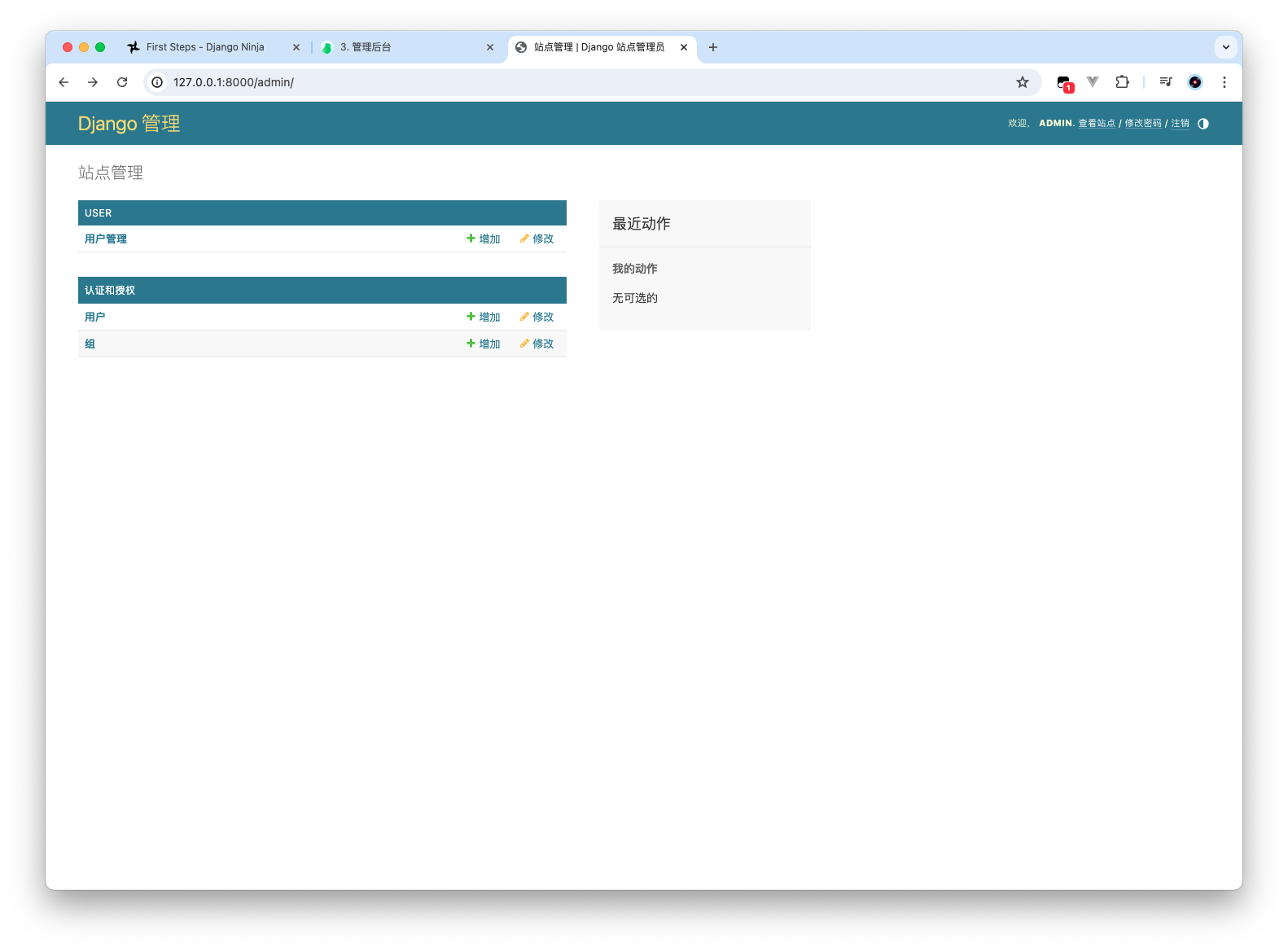
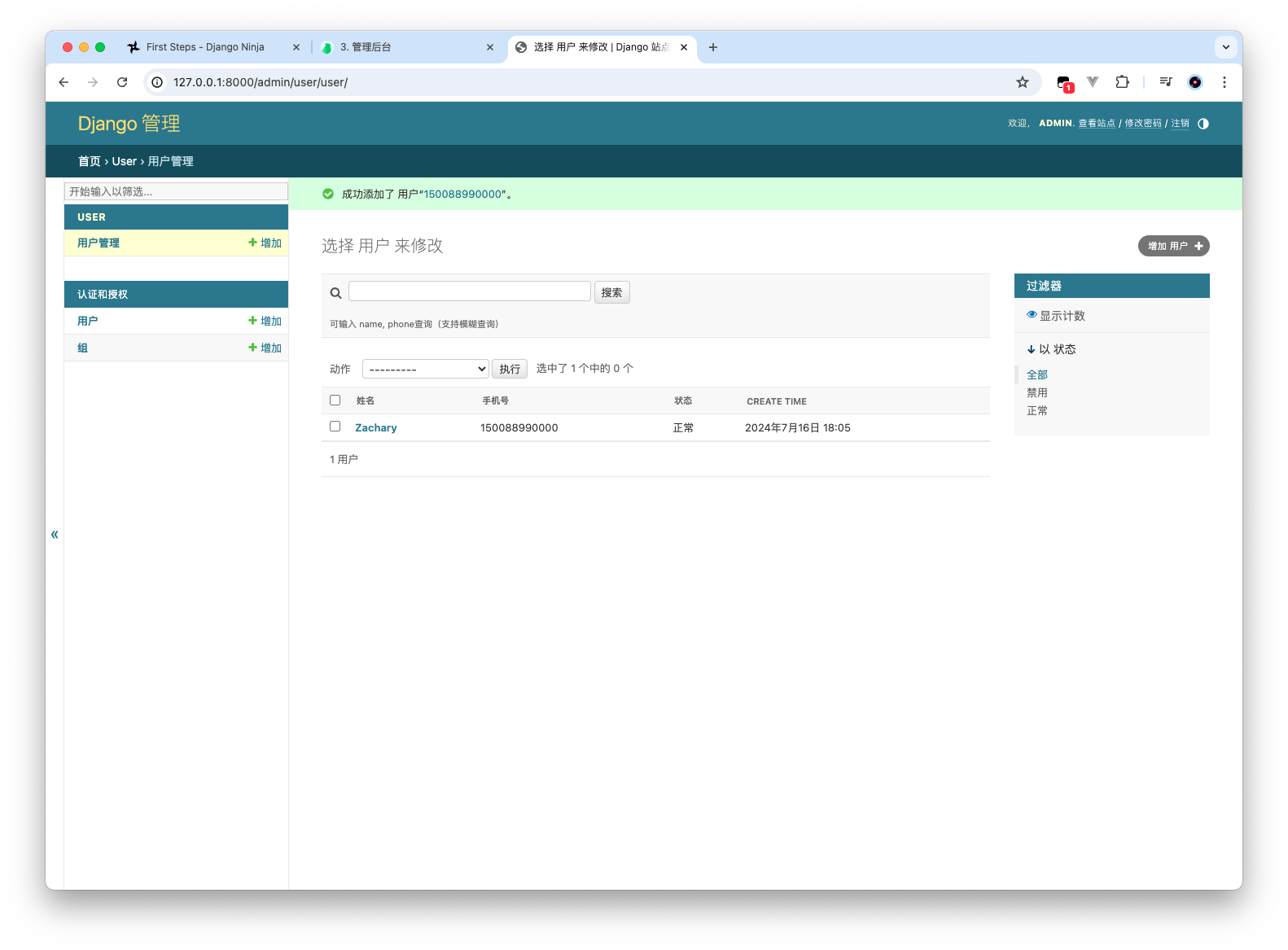
实现用户管理

修改 app/user/admin.py 的内容

1
2
3
4
5
6
7
8
9
10
11
12
13
14
15
16
17
18
19
20
21
22
23
from django.contrib import admin
from .models import User, AddressBook


# Register your models here.
@admin.register(User)
class UserManagerAdmin(admin.ModelAdmin):
# 列表显示的字段
list_display = ('name', 'phone', 'status', 'create_time')
# 列表筛选
list_filter = ('status',)
# 搜索框查询
search_fields = ('name', 'phone')
search_help_text = '可输入 name, phone查询(支持模糊查询)'


@admin.register(AddressBook)
class AddressManagerAdmin(admin.ModelAdmin):
list_display = ('consignee', 'sex', 'phone', 'province_name', 'city_name', 'detail', 'create_time')
list_filter = ('sex', 'province_name', 'city_name')
search_fields = ('consignee', 'phone')
search_help_text = '可输入 consignee, phone查询(支持模糊查询)'

Product 管理

调整 Product

1
2
3
4
5
6
7
8
9
10
11
12
13
14
15
16
17
18
19
20
21
22
23
24
25
26
27
28
29
30
31
32
33
34
35
36
37
38
39
40
41
42
43
44
45
46
47
48
49
50
51
52
53
54
55
56
57
58
59
60
61
62
63
64
65
66
67
68
69
70
71
72
73
74
75
76
77
78
79
80
81
82
83
84
85
86
87
88
89
90
91
92
93
94
95
96
97
98
99
100
101
102
103
104
105
106
107
108
109
110
111
112
from django.db import models

# Create your models here.


class Category(models.Model):
TYPE = (
(1, '菜品分类'),
(2, '套餐分类')
)
# 套餐相关我们不做所以默认1就行了
type = models.IntegerField(
choices=TYPE,
blank=True, null=True, db_comment="类型 1 菜品分类 2 套餐分类", default=1
)
name = models.CharField(
unique=True, max_length=64, db_comment="分类名称", verbose_name="分类名称"
)
sort = models.IntegerField(db_comment="顺序", verbose_name="顺序")
create_time = models.DateTimeField(db_comment="创建时间", auto_now_add=True)
update_time = models.DateTimeField(
db_comment="更新时间", auto_now=True, verbose_name="更新时间"
)

def __str__(self):
return self.name

class Meta:
# managed = False
db_table = "category"
db_table_comment = "菜品及套餐分类"

verbose_name = "菜品分类"
verbose_name_plural = "菜品分类管理"


class Dish(models.Model):
STATUS = (
(0, '停售'),
(1, '启售')
)
name = models.CharField(
unique=True, max_length=64, db_comment="菜品名称", verbose_name="菜品名称"
)
# 1个分类有多个商品
category = models.ForeignKey(
Category,
db_constraint=False,
on_delete=models.SET_NULL,
null=True,
verbose_name="菜品分类",
)
# category_id = models.BigIntegerField(db_comment='菜品分类id')
price = models.DecimalField(
max_digits=10,
decimal_places=2,
db_comment="菜品价格",
verbose_name="菜品价格",
)
code = models.CharField(max_length=64, db_comment="商品码", verbose_name="商品码")
image = models.ImageField(upload_to="product/", verbose_name="图片", db_comment="图片")
description = models.CharField(
max_length=400, blank=True, null=True, db_comment="描述信息"
)
status = models.IntegerField(choices=STATUS, default=1, db_comment="0 停售 1 起售", verbose_name="售卖状态")
sort = models.IntegerField(db_comment="顺序", verbose_name="顺序")
create_time = models.DateTimeField(db_comment="创建时间", auto_now_add=True)
update_time = models.DateTimeField(
db_comment="更新时间", auto_now=True, verbose_name="更新时间"
)

def __str__(self):
return self.name

class Meta:
# managed = False
db_table = "dish"
db_table_comment = "菜品管理"

verbose_name = "菜品"
verbose_name_plural = "菜品管理"


class DishFlavor(models.Model):
dish = models.ForeignKey(
Dish,
db_constraint=False,
on_delete=models.SET_NULL,
null=True,
db_comment="菜品",
verbose_name="菜品",
)
name = models.CharField(max_length=64, db_comment="口味名称", verbose_name="口味名称")
value = models.JSONField(
blank=True, null=True, db_comment="口味数据list", verbose_name="口味详情"
)
create_time = models.DateTimeField(db_comment="创建时间", auto_now_add=True)
update_time = models.DateTimeField(
db_comment="更新时间", auto_now=True, verbose_name="更新时间"
)

def __str__(self):
return self.name

class Meta:
# managed = False
db_table = "dish_flavor"
db_table_comment = "菜品口味关系表"

verbose_name = "口味"
verbose_name_plural = "口味管理"

修改模型内容后迁移一下

1
2
3
4
5
6
7
8
9
10
11
12
13
14
15
16
17
18
19
20
21
22
23
24
25
26
27
28
29
30
31
32
33
34
35
36
37
38
39
40
41
42
43
44
45
46
47
48
49
50
51
52
53
54
55
56
57
58
59
60
61
62
63
64
65
66
67
68
69
70
71
72
73
74
75
76
77
78
79
80
81
82
83
84
85
86
87
88
(venv) ➜  takeout python manage.py makemigrations
It is impossible to change a nullable field 'price' on dish to non-nullable without providing a default. This is because the database needs something to populate existing rows.
Please select a fix:
1) Provide a one-off default now (will be set on all existing rows with a null value for this column)
2) Ignore for now. Existing rows that contain NULL values will have to be handled manually, for example with a RunPython or RunSQL operation.
3) Quit and manually define a default value in models.py.
Select an option: 2
Migrations for 'product':
apps/product/migrations/0002_alter_category_type_alter_dish_price_and_more.py
- Alter field type on category
- Alter field price on dish
- Alter field status on dish
(venv) ➜ takeout python manage.py migrate
System check identified some issues:

WARNINGS:
order.OrderDetail.amount: (fields.W163) SQLite does not support comments on columns (db_comment).
order.OrderDetail.dish: (fields.W163) SQLite does not support comments on columns (db_comment).
order.OrderDetail.dish_flavor: (fields.W163) SQLite does not support comments on columns (db_comment).
order.OrderDetail.number: (fields.W163) SQLite does not support comments on columns (db_comment).
order.OrderDetail.order: (fields.W163) SQLite does not support comments on columns (db_comment).
order.OrderDetail: (models.W046) SQLite does not support comments on tables (db_table_comment).
order.Orders.address_book: (fields.W163) SQLite does not support comments on columns (db_comment).
order.Orders.amount: (fields.W163) SQLite does not support comments on columns (db_comment).
order.Orders.checkout_time: (fields.W163) SQLite does not support comments on columns (db_comment).
order.Orders.number: (fields.W163) SQLite does not support comments on columns (db_comment).
order.Orders.order_time: (fields.W163) SQLite does not support comments on columns (db_comment).
order.Orders.pay_method: (fields.W163) SQLite does not support comments on columns (db_comment).
order.Orders.remark: (fields.W163) SQLite does not support comments on columns (db_comment).
order.Orders.status: (fields.W163) SQLite does not support comments on columns (db_comment).
order.Orders.user: (fields.W163) SQLite does not support comments on columns (db_comment).
order.Orders: (models.W046) SQLite does not support comments on tables (db_table_comment).
order.ShoppingCart.amount: (fields.W163) SQLite does not support comments on columns (db_comment).
order.ShoppingCart.create_time: (fields.W163) SQLite does not support comments on columns (db_comment).
order.ShoppingCart.dish: (fields.W163) SQLite does not support comments on columns (db_comment).
order.ShoppingCart.dish_flavor: (fields.W163) SQLite does not support comments on columns (db_comment).
order.ShoppingCart.number: (fields.W163) SQLite does not support comments on columns (db_comment).
order.ShoppingCart.user: (fields.W163) SQLite does not support comments on columns (db_comment).
order.ShoppingCart: (models.W046) SQLite does not support comments on tables (db_table_comment).
product.Category.create_time: (fields.W163) SQLite does not support comments on columns (db_comment).
product.Category.name: (fields.W163) SQLite does not support comments on columns (db_comment).
product.Category.sort: (fields.W163) SQLite does not support comments on columns (db_comment).
product.Category.type: (fields.W163) SQLite does not support comments on columns (db_comment).
product.Category.update_time: (fields.W163) SQLite does not support comments on columns (db_comment).
product.Category: (models.W046) SQLite does not support comments on tables (db_table_comment).
product.Dish.code: (fields.W163) SQLite does not support comments on columns (db_comment).
product.Dish.create_time: (fields.W163) SQLite does not support comments on columns (db_comment).
product.Dish.description: (fields.W163) SQLite does not support comments on columns (db_comment).
product.Dish.image: (fields.W163) SQLite does not support comments on columns (db_comment).
product.Dish.name: (fields.W163) SQLite does not support comments on columns (db_comment).
product.Dish.price: (fields.W163) SQLite does not support comments on columns (db_comment).
product.Dish.sort: (fields.W163) SQLite does not support comments on columns (db_comment).
product.Dish.status: (fields.W163) SQLite does not support comments on columns (db_comment).
product.Dish.update_time: (fields.W163) SQLite does not support comments on columns (db_comment).
product.Dish: (models.W046) SQLite does not support comments on tables (db_table_comment).
product.DishFlavor.create_time: (fields.W163) SQLite does not support comments on columns (db_comment).
product.DishFlavor.dish: (fields.W163) SQLite does not support comments on columns (db_comment).
product.DishFlavor.name: (fields.W163) SQLite does not support comments on columns (db_comment).
product.DishFlavor.update_time: (fields.W163) SQLite does not support comments on columns (db_comment).
product.DishFlavor.value: (fields.W163) SQLite does not support comments on columns (db_comment).
product.DishFlavor: (models.W046) SQLite does not support comments on tables (db_table_comment).
user.AddressBook.city_code: (fields.W163) SQLite does not support comments on columns (db_comment).
user.AddressBook.city_name: (fields.W163) SQLite does not support comments on columns (db_comment).
user.AddressBook.consignee: (fields.W163) SQLite does not support comments on columns (db_comment).
user.AddressBook.create_time: (fields.W163) SQLite does not support comments on columns (db_comment).
user.AddressBook.detail: (fields.W163) SQLite does not support comments on columns (db_comment).
user.AddressBook.district_code: (fields.W163) SQLite does not support comments on columns (db_comment).
user.AddressBook.district_name: (fields.W163) SQLite does not support comments on columns (db_comment).
user.AddressBook.is_default: (fields.W163) SQLite does not support comments on columns (db_comment).
user.AddressBook.label: (fields.W163) SQLite does not support comments on columns (db_comment).
user.AddressBook.phone: (fields.W163) SQLite does not support comments on columns (db_comment).
user.AddressBook.province_code: (fields.W163) SQLite does not support comments on columns (db_comment).
user.AddressBook.province_name: (fields.W163) SQLite does not support comments on columns (db_comment).
user.AddressBook.sex: (fields.W163) SQLite does not support comments on columns (db_comment).
user.AddressBook.update_time: (fields.W163) SQLite does not support comments on columns (db_comment).
user.AddressBook: (models.W046) SQLite does not support comments on tables (db_table_comment).
user.User.create_time: (fields.W163) SQLite does not support comments on columns (db_comment).
user.User.name: (fields.W163) SQLite does not support comments on columns (db_comment).
user.User.phone: (fields.W163) SQLite does not support comments on columns (db_comment).
user.User.status: (fields.W163) SQLite does not support comments on columns (db_comment).
user.User.update_time: (fields.W163) SQLite does not support comments on columns (db_comment).
user.User: (models.W046) SQLite does not support comments on tables (db_table_comment).
Operations to perform:
Apply all migrations: admin, auth, contenttypes, order, product, sessions, user
Running migrations:
Applying product.0002_alter_category_type_alter_dish_price_and_more... OK
(venv) ➜ takeout

安装 json 展示插件

Django-admin 会默认直接展示 json 内容,不直观所以引入该插件

pip install django-jsoneditor

之后还需要在 settings.py 中注册一下

1
2
3
4
5
6
7
8
9
10
11
12
INSTALLED_APPS = [
'django.contrib.admin',
'django.contrib.auth',
'django.contrib.contenttypes',
'django.contrib.sessions',
'django.contrib.messages',
'django.contrib.staticfiles',
'apps.user',
'apps.product',
'apps.order',
'jsoneditor',
]
1
2
3
4
5
6
7
8
9
10
11
12
13
14
15
(venv) ➜  takeout python manage.py collectstatic

You have requested to collect static files at the destination
location as specified in your settings:

/Users/zachary/Documents/PythonCode/takeout/static

This will overwrite existing files!
Are you sure you want to do this?

Type 'yes' to continue, or 'no' to cancel: yes

8 static files copied to '/Users/zachary/Documents/PythonCode/takeout/static', 126 unmodified.
(venv) ➜ takeout

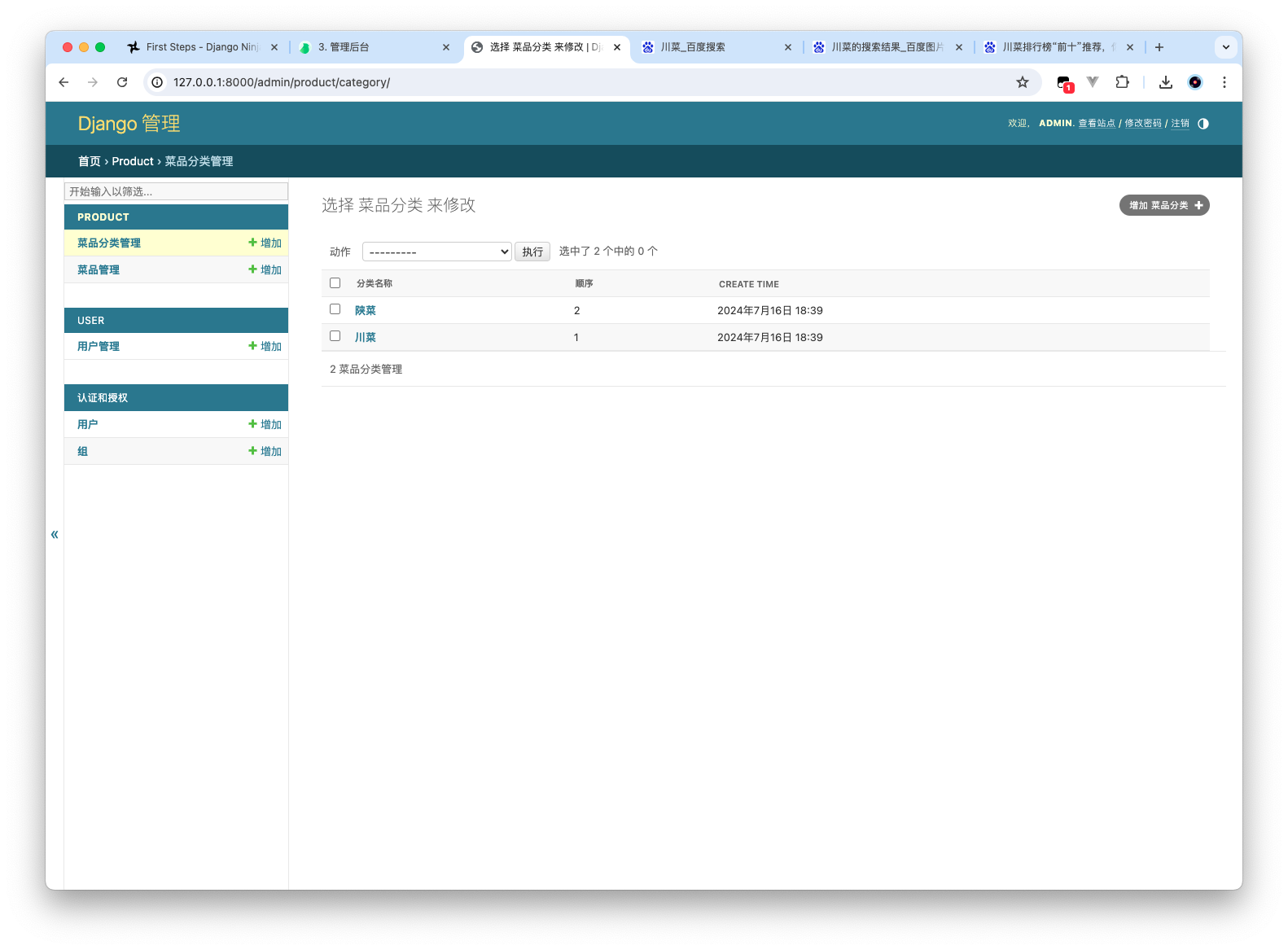
实现菜品管理

1
2
3
4
5
6
7
8
9
10
11
12
13
14
15
16
17
18
19
20
21
22
23
24
25
26
27
28
29
30
31
32
33
34
35
36
37
38
39
40
41
42
43
44
45
46
47
48
49
50
51
52
from django.contrib import admin
from django.utils.html import format_html
from jsoneditor.forms import JSONEditor


# Register your models here.
from .models import *


@admin.register(Category)
class CategoryManagerAdmin(admin.ModelAdmin):
list_display = ('name', 'sort', 'create_time')


# 内联模型 - 嵌套用
class Flavor(admin.StackedInline):
model = DishFlavor
extra = 1
# json字段默认展示的是文本框,这里使用对应插件展示成json
formfield_overrides = {
models.JSONField: {"widget": JSONEditor},
}
verbose_name_plural = "菜品口味"


@admin.register(Dish)
class DishManagerAdmin(admin.ModelAdmin):
list_display = ('name', 'category', 'show_img', 'price', 'status', 'create_time')

search_fields = ('name',)
search_help_text = '输入菜品名称进行搜索'

list_filter = ('category', 'status')
# 嵌套子模型 口味, 在添加商品时直接就把口味一起加了
inlines = [Flavor]

# 增加一个字段
def show_img(self, obj):
"""

:param obj: obj 为 一个Dish 的实例对象
:return:
"""
if obj.image:
# obj.image.url 获取从midia的路径 /media/product/Snipaste_2023-07-12_20-31-22.png
return format_html('<img src="{}" height="50"/>'.format(obj.image.url))
else:
return ''

# 字段列表表头显示
show_img.short_description = '图片'

Order 管理

调整 Order

1
2
3
4
5
6
7
8
9
10
11
12
13
14
15
16
17
18
19
20
21
22
23
24
25
26
27
28
29
30
31
32
33
34
35
36
37
38
39
40
41
42
43
44
45
46
47
48
49
50
51
52
53
54
55
56
57
58
59
60
61
62
63
64
65
66
67
68
69
70
71
72
73
74
75
76
77
78
79
80
81
82
83
84
85
86
87
88
89
90
91
92
93
94
95
96
97
98
99
100
101
102
103
104
105
106
107
108
109
110
111
112
113
114
115
116
117
118
119
120
121
122
123
124
125
126
127
128
129
130
from django.db import models

from apps.product.models import Dish
from apps.user.models import AddressBook, User

# Create your models here.


class Orders(models.Model):
PAY_METHOD_CHOICES = (
(1, '微信'),
(2, '支付宝')
)

STATUS_CHOICES = (
(1, '待付款'),
(2, '待派送'),
(3, '已派送'),
(4, '已完成'),
(5, '已取消'),
)

number = models.CharField(max_length=50, blank=True, null=True, verbose_name="订单号")
status = models.IntegerField(
choices=STATUS_CHOICES,
db_comment="订单状态 1待付款,2待派送,3已派送,4已完成,5已取消", verbose_name="订单状态"
)
user = models.ForeignKey(
User,
db_constraint=False,
null=True,
on_delete=models.SET_NULL,
db_comment="下单用户",
verbose_name="用户",
)
address_book = models.ForeignKey(
AddressBook,
null=True,
db_constraint=False,
on_delete=models.SET_NULL,
db_comment="地址id",
verbose_name="地址",
)
order_time = models.DateTimeField(db_comment="下单时间", verbose_name="下单时间")
checkout_time = models.DateTimeField(db_comment="结账时间", verbose_name="结账时间")
pay_method = models.IntegerField(choices=PAY_METHOD_CHOICES, db_comment="支付方式 1微信,2支付宝", default=1, verbose_name="支付方式"
)
amount = models.DecimalField(
max_digits=10, decimal_places=2, db_comment="实收金额", verbose_name="实收金额"
)
remark = models.CharField(
max_length=100, blank=True, null=True, db_comment="备注", verbose_name="备注"
)

def __str__(self):
return self.number

class Meta:
db_table = "orders"
db_table_comment = "订单表"

verbose_name = "订单"
verbose_name_plural = "订单管理"


class OrderDetail(models.Model):
order = models.ForeignKey(
Orders,
db_constraint=False,
on_delete=models.SET_NULL,
null=True,
db_comment="订单id",
verbose_name="订单",
)
dish = models.ForeignKey(
Dish,
db_constraint=False,
on_delete=models.SET_NULL,
blank=True,
null=True,
db_comment="菜品id",
verbose_name="菜品",
)
dish_flavor = models.CharField(
max_length=50, blank=True, null=True, db_comment="口味", verbose_name="口味"
)
number = models.IntegerField(db_comment="数量", verbose_name="数量")
amount = models.DecimalField(
max_digits=10, decimal_places=2, db_comment="金额", verbose_name="金额"
)

def __str__(self):
if self.order:
return self.order.number

class Meta:
# managed = False
db_table = "order_detail"
db_table_comment = "订单明细表"

verbose_name = "明细"
verbose_name_plural = "订单明细"


class ShoppingCart(models.Model):
user = models.ForeignKey(
User, db_constraint=False, null=True, on_delete=models.SET_NULL, db_comment="用户"
)
dish = models.ForeignKey(
Dish,
db_constraint=False,
on_delete=models.SET_NULL,
blank=True,
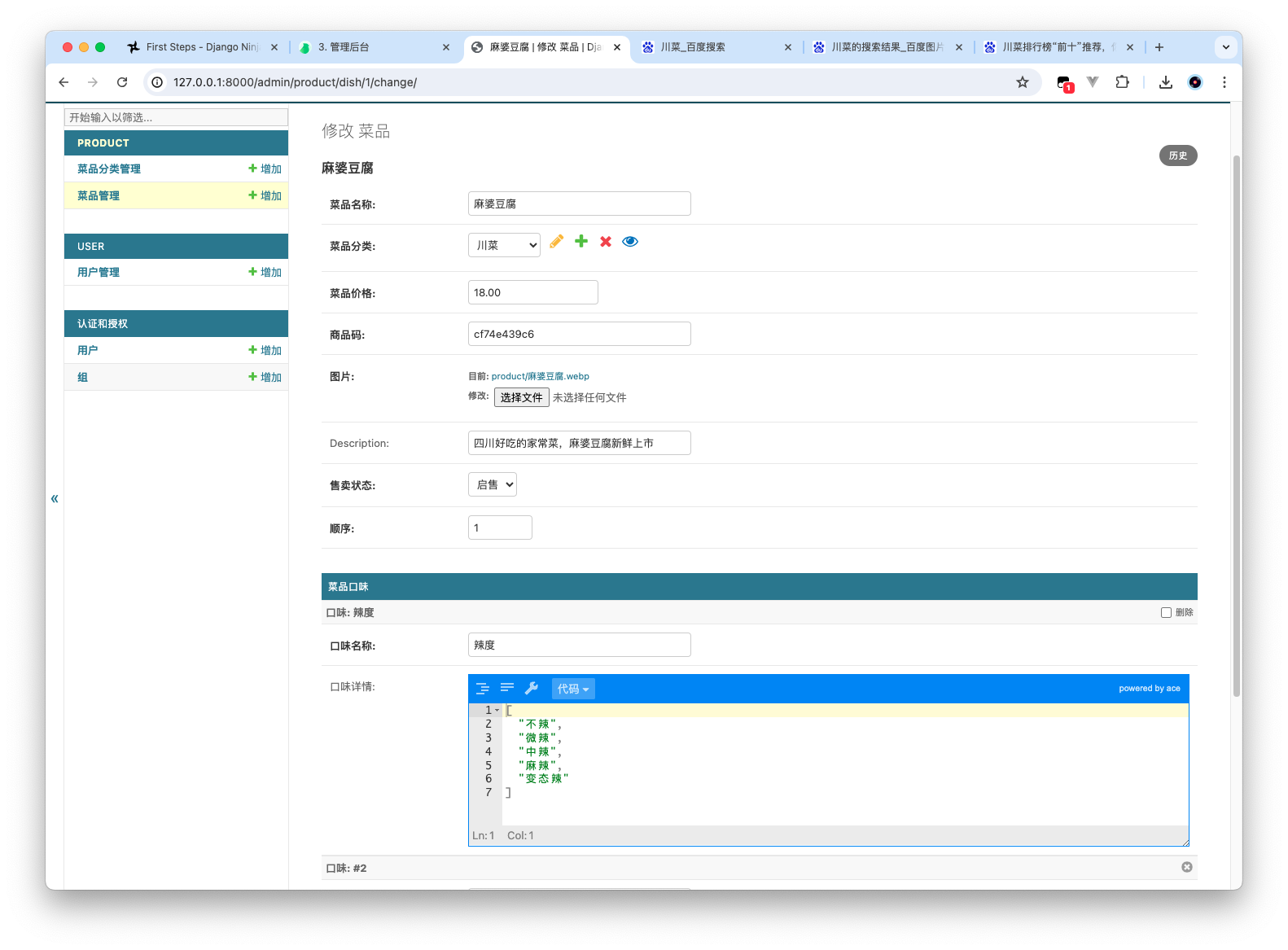
null=True,
db_comment="菜品",
)
dish_flavor = models.CharField(
max_length=50, blank=True, null=True, db_comment="口味"
)
number = models.IntegerField(db_comment="数量")
amount = models.DecimalField(max_digits=10, decimal_places=2, db_comment="金额")
create_time = models.DateTimeField(
blank=True, null=True, db_comment="创建时间", auto_now_add=True
)

class Meta:
# 购物车我们不需要后台管理
# managed = False
db_table = "shopping_cart"
db_table_comment = "购物车"

修改完迁移下模型

1
2
3
4
5
6
7
8
9
10
11
12
13
14
15
16
17
18
19
20
21
22
23
24
25
26
27
28
29
30
31
32
33
34
35
36
37
38
39
40
41
42
43
44
45
46
47
48
49
50
51
52
53
54
55
56
57
58
59
60
61
62
63
64
65
66
67
68
69
70
71
72
73
74
75
76
77
78
79
80
81
82
(venv) ➜  takeout python manage.py makemigrations
Migrations for 'order':
apps/order/migrations/0002_alter_orderdetail_options_alter_orders_number_and_more.py
- Change Meta options on orderdetail
- Alter field number on orders
- Alter field pay_method on orders
- Alter field status on orders
(venv) ➜ takeout python manage.py migrate
System check identified some issues:

WARNINGS:
order.OrderDetail.amount: (fields.W163) SQLite does not support comments on columns (db_comment).
order.OrderDetail.dish: (fields.W163) SQLite does not support comments on columns (db_comment).
order.OrderDetail.dish_flavor: (fields.W163) SQLite does not support comments on columns (db_comment).
order.OrderDetail.number: (fields.W163) SQLite does not support comments on columns (db_comment).
order.OrderDetail.order: (fields.W163) SQLite does not support comments on columns (db_comment).
order.OrderDetail: (models.W046) SQLite does not support comments on tables (db_table_comment).
order.Orders.address_book: (fields.W163) SQLite does not support comments on columns (db_comment).
order.Orders.amount: (fields.W163) SQLite does not support comments on columns (db_comment).
order.Orders.checkout_time: (fields.W163) SQLite does not support comments on columns (db_comment).
order.Orders.order_time: (fields.W163) SQLite does not support comments on columns (db_comment).
order.Orders.pay_method: (fields.W163) SQLite does not support comments on columns (db_comment).
order.Orders.remark: (fields.W163) SQLite does not support comments on columns (db_comment).
order.Orders.status: (fields.W163) SQLite does not support comments on columns (db_comment).
order.Orders.user: (fields.W163) SQLite does not support comments on columns (db_comment).
order.Orders: (models.W046) SQLite does not support comments on tables (db_table_comment).
order.ShoppingCart.amount: (fields.W163) SQLite does not support comments on columns (db_comment).
order.ShoppingCart.create_time: (fields.W163) SQLite does not support comments on columns (db_comment).
order.ShoppingCart.dish: (fields.W163) SQLite does not support comments on columns (db_comment).
order.ShoppingCart.dish_flavor: (fields.W163) SQLite does not support comments on columns (db_comment).
order.ShoppingCart.number: (fields.W163) SQLite does not support comments on columns (db_comment).
order.ShoppingCart.user: (fields.W163) SQLite does not support comments on columns (db_comment).
order.ShoppingCart: (models.W046) SQLite does not support comments on tables (db_table_comment).
product.Category.create_time: (fields.W163) SQLite does not support comments on columns (db_comment).
product.Category.name: (fields.W163) SQLite does not support comments on columns (db_comment).
product.Category.sort: (fields.W163) SQLite does not support comments on columns (db_comment).
product.Category.type: (fields.W163) SQLite does not support comments on columns (db_comment).
product.Category.update_time: (fields.W163) SQLite does not support comments on columns (db_comment).
product.Category: (models.W046) SQLite does not support comments on tables (db_table_comment).
product.Dish.code: (fields.W163) SQLite does not support comments on columns (db_comment).
product.Dish.create_time: (fields.W163) SQLite does not support comments on columns (db_comment).
product.Dish.description: (fields.W163) SQLite does not support comments on columns (db_comment).
product.Dish.image: (fields.W163) SQLite does not support comments on columns (db_comment).
product.Dish.name: (fields.W163) SQLite does not support comments on columns (db_comment).
product.Dish.price: (fields.W163) SQLite does not support comments on columns (db_comment).
product.Dish.sort: (fields.W163) SQLite does not support comments on columns (db_comment).
product.Dish.status: (fields.W163) SQLite does not support comments on columns (db_comment).
product.Dish.update_time: (fields.W163) SQLite does not support comments on columns (db_comment).
product.Dish: (models.W046) SQLite does not support comments on tables (db_table_comment).
product.DishFlavor.create_time: (fields.W163) SQLite does not support comments on columns (db_comment).
product.DishFlavor.dish: (fields.W163) SQLite does not support comments on columns (db_comment).
product.DishFlavor.name: (fields.W163) SQLite does not support comments on columns (db_comment).
product.DishFlavor.update_time: (fields.W163) SQLite does not support comments on columns (db_comment).
product.DishFlavor.value: (fields.W163) SQLite does not support comments on columns (db_comment).
product.DishFlavor: (models.W046) SQLite does not support comments on tables (db_table_comment).
user.AddressBook.city_code: (fields.W163) SQLite does not support comments on columns (db_comment).
user.AddressBook.city_name: (fields.W163) SQLite does not support comments on columns (db_comment).
user.AddressBook.consignee: (fields.W163) SQLite does not support comments on columns (db_comment).
user.AddressBook.create_time: (fields.W163) SQLite does not support comments on columns (db_comment).
user.AddressBook.detail: (fields.W163) SQLite does not support comments on columns (db_comment).
user.AddressBook.district_code: (fields.W163) SQLite does not support comments on columns (db_comment).
user.AddressBook.district_name: (fields.W163) SQLite does not support comments on columns (db_comment).
user.AddressBook.is_default: (fields.W163) SQLite does not support comments on columns (db_comment).
user.AddressBook.label: (fields.W163) SQLite does not support comments on columns (db_comment).
user.AddressBook.phone: (fields.W163) SQLite does not support comments on columns (db_comment).
user.AddressBook.province_code: (fields.W163) SQLite does not support comments on columns (db_comment).
user.AddressBook.province_name: (fields.W163) SQLite does not support comments on columns (db_comment).
user.AddressBook.sex: (fields.W163) SQLite does not support comments on columns (db_comment).
user.AddressBook.update_time: (fields.W163) SQLite does not support comments on columns (db_comment).
user.AddressBook: (models.W046) SQLite does not support comments on tables (db_table_comment).
user.User.create_time: (fields.W163) SQLite does not support comments on columns (db_comment).
user.User.name: (fields.W163) SQLite does not support comments on columns (db_comment).
user.User.phone: (fields.W163) SQLite does not support comments on columns (db_comment).
user.User.status: (fields.W163) SQLite does not support comments on columns (db_comment).
user.User.update_time: (fields.W163) SQLite does not support comments on columns (db_comment).
user.User: (models.W046) SQLite does not support comments on tables (db_table_comment).
Operations to perform:
Apply all migrations: admin, auth, contenttypes, order, product, sessions, user
Running migrations:
Applying order.0002_alter_orderdetail_options_alter_orders_number_and_more... OK
(venv) ➜ takeout

实现订单管理

1
2
3
4
5
6
7
8
9
10
11
12
13
14
15
16
17
18
19
20
21
22
23
24
25
26
27
28
29
30
31
32
33
34
35
36
37
38
39
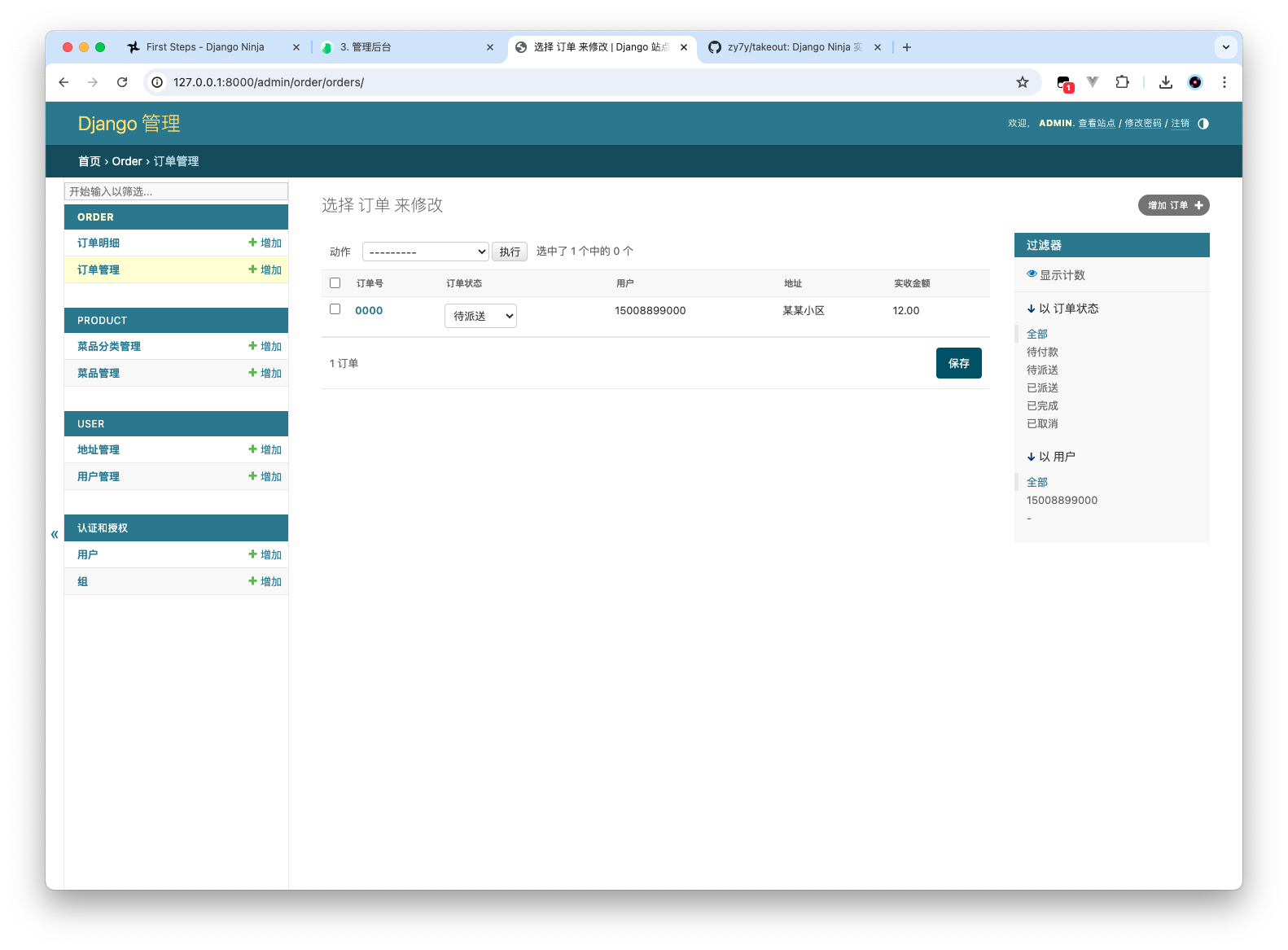
from django.contrib import admin

# Register your models here.

from .models import *


@admin.register(Orders)
class OrderManagerAdmin(admin.ModelAdmin):
list_display = ('number', 'status', 'user', 'address_book', 'amount')
list_filter = ("status", "user")
# 页面可编辑
list_editable = ("status",)


@admin.register(OrderDetail)
class OrderManagerAdmin(admin.ModelAdmin):
list_display = ("order", "dish", "dish_flavor", "number", "amount", "user", "address", "total")
search_fields = ("dish",)

def user(self, obj):
if obj.order and obj.order.user:
return obj.order.user

user.short_description = "用户"

def address(self, obj):
if obj.order and obj.order.address_book:
return obj.order.address_book

address.short_description = "收货地址"

def total(self, obj):
return obj.number * obj.amount

total.short_description = "总价"

list_filter = ("order", "order__user")

登录页面接口

通用响应模型

在/takeout/apps 下创建一个 schemas.py 文件

1
2
3
4
5
6
7
8
9
10
11
12
13
14
15
16
17
18
19
20
21
22
23
24
25
26
27
# -*- coding:utf-8 -*-
# Author: Zachary

"""
通用Schema
"""

from typing import Generic, TypeVar, Optional
from pydantic import generics

T = TypeVar('T')


# 泛型模型:T可以动态变动,运行时加载类型-swagger文档可见
class R(generics.GenericModel, Generic[T]):
code: int = 1
data: Optional[T]
msg: str = "ok"

@classmethod
def ok(cls, data: T = None) -> "R":
return cls(code=1, data=data, msg="ok")

@classmethod
def fail(cls, msg: str = "fail") -> "R":
return cls(code=0, msg=msg)

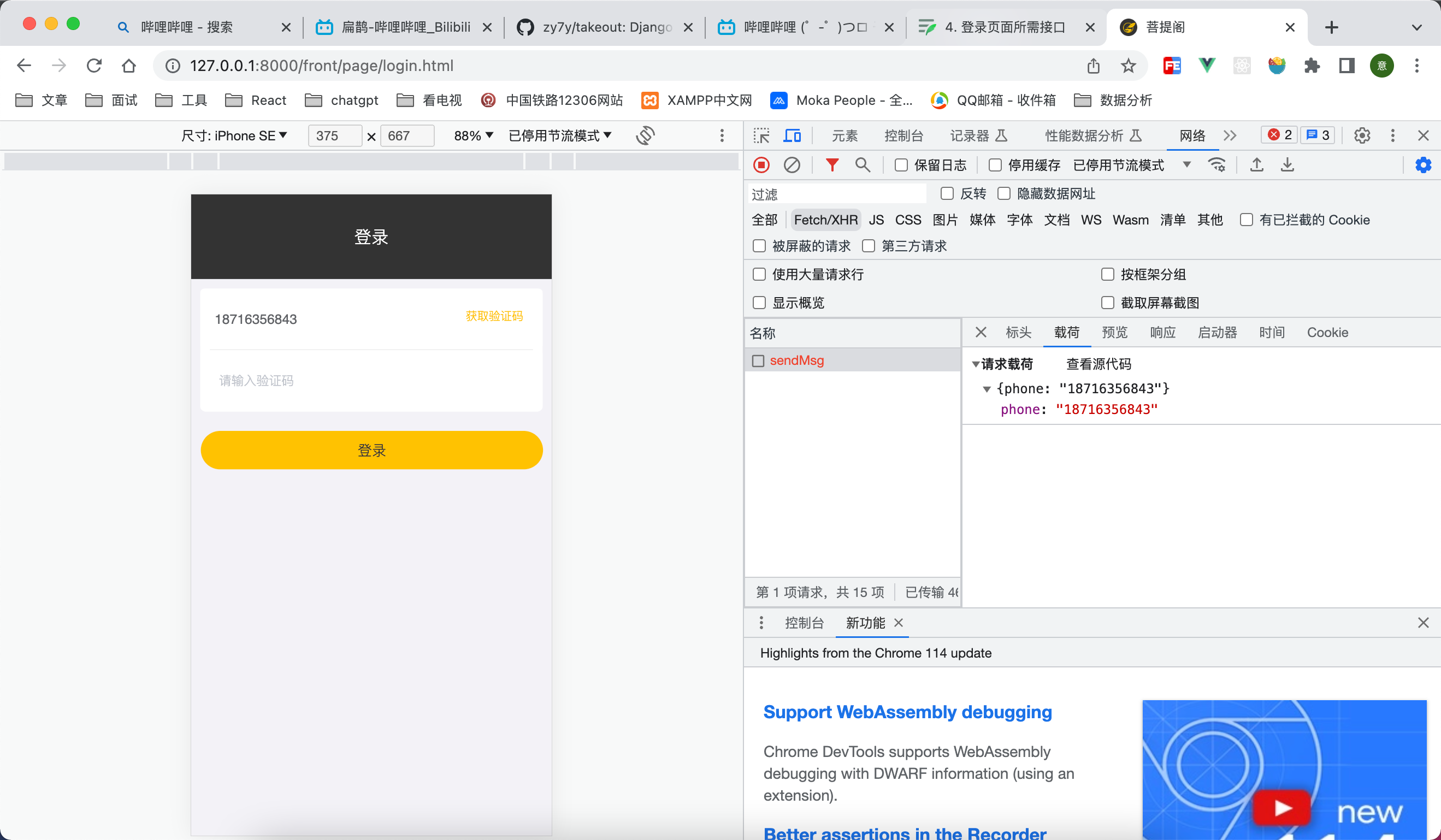
获取验证码接口

sendMsg POST

接口实现

takeout/apps/user/schemas.py定义请求模型

1
2
3
4
5
6
7
8
9
10
11
12
# -*- coding:utf-8 -*-
# Author: Zachary

from ninja import Schema, Field


class SendMsgSchema(Schema):
phone: str = Field(..., description="手机号", pattern=r'^1[3456789]\d{9}$')


class SendMsgResultSchema(Schema):
code: str = Field(..., description="验证码")

takeout/apps/user/views.py

1
2
3
4
5
6
7
8
9
10
11
12
13
14
15
16
17
18
19
20
21
22
23
24
25
import random

from django.shortcuts import render

# Create your views here.

from ninja import Router

from .models import User
from .schemas import SendMsgSchema, SendMsgResultSchema
from ..schemas import R

router = Router(tags=['登录'])


@router.post("/sendMsg", summary="验证码", response=R)
def send_msg(request, data: SendMsgSchema):
# 4位数,生成验证码
code = ''.join(random.choices('0123456789', k=4))
# 验证码存在session中
request.session[data.phone] = code
request.session.set_expiry(5 * 60) # 缓存5分钟
# 使用了response R, 这里默认就是 R 中的 data属性
return R.ok(data=SendMsgResultSchema(code=code))

注册 router takeout/apps/api.py

1
2
3
4
5
6
7
8
9
10
11
12
from ninja import NinjaAPI

from apps.user.views import router as user_router

app = NinjaAPI(title="DjangoNinja-瑞吉外卖H5", description="使用DjangoNinja实现《瑞吉外卖》项目")

app.add_router("/user", router=user_router)

@app.get("/index")
def index(request):
return "Hello Django Ninja"

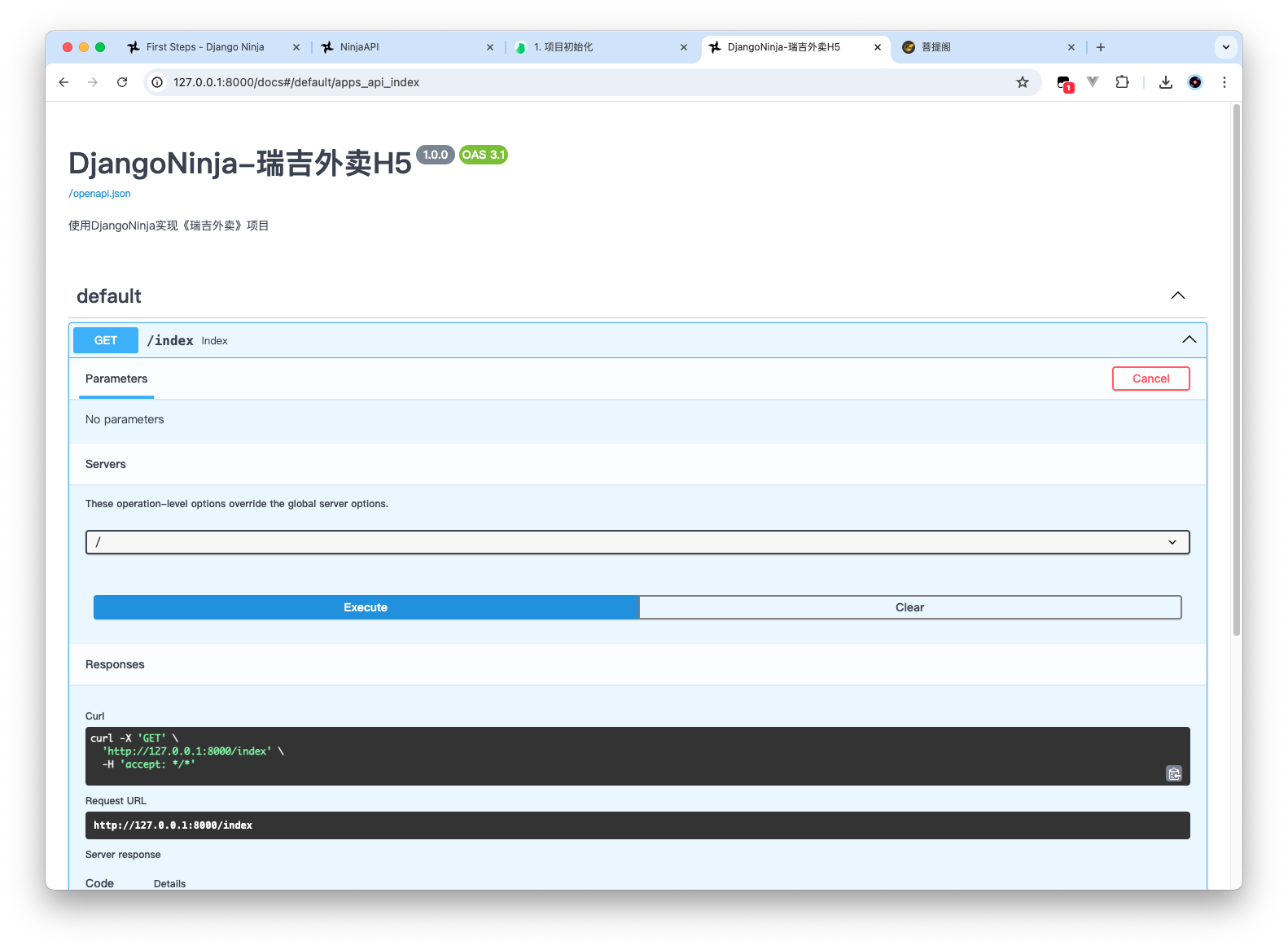
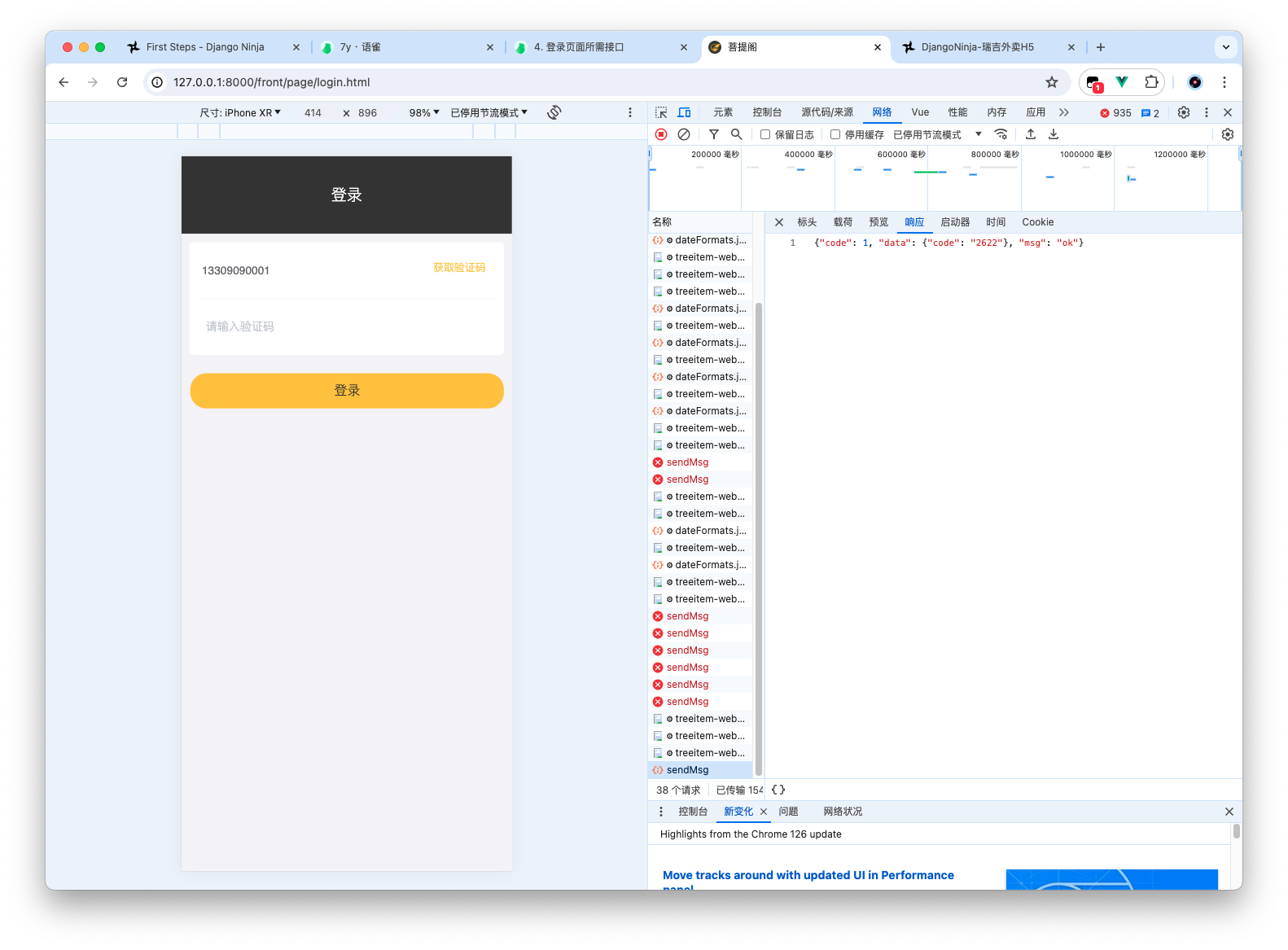
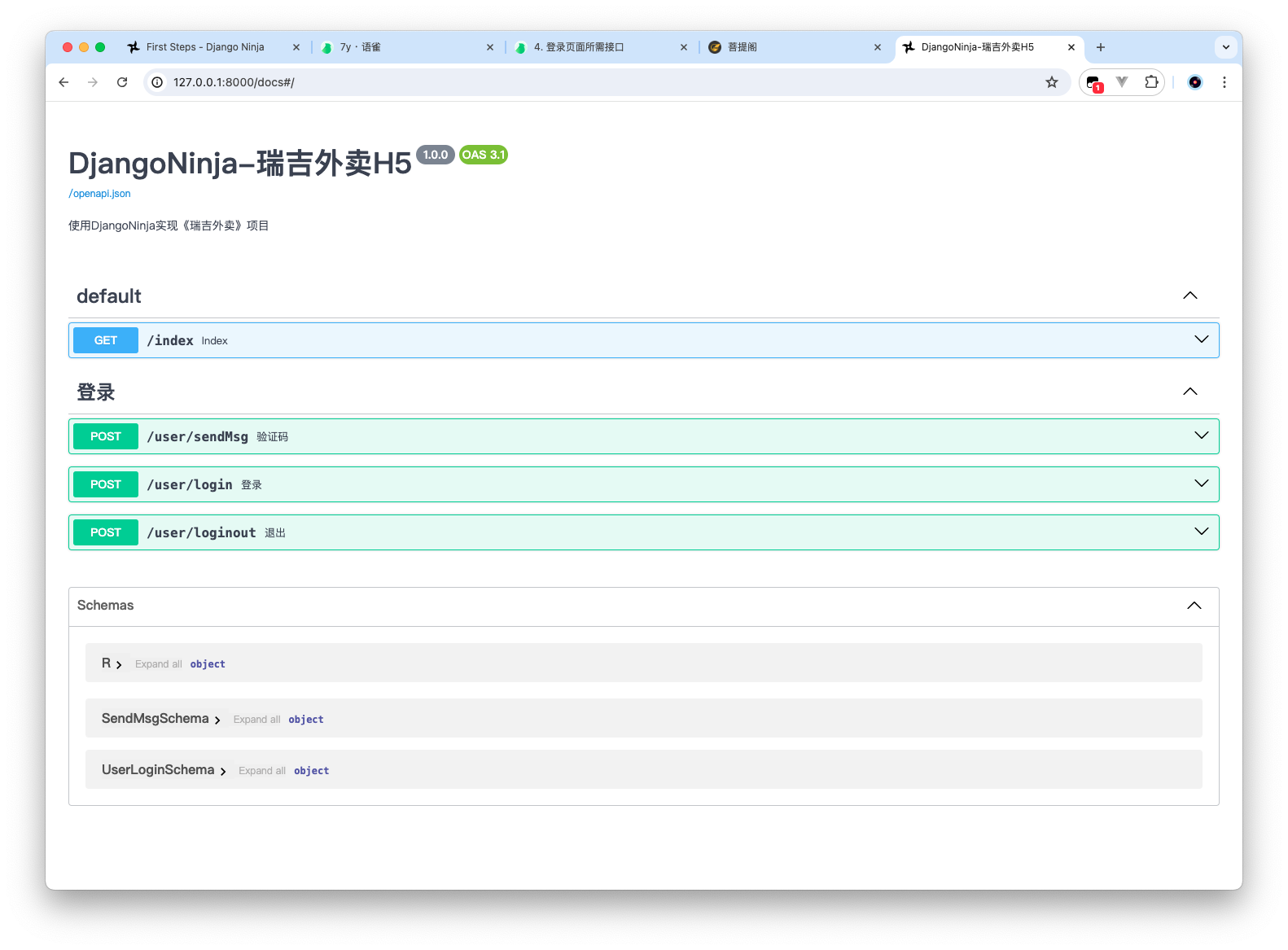
预览

登录接口

如果登录的用户存在 user 表中,则直接登录,否则注册并登录

请求参数 schemas

1
2
3
4
5
6
7
8
9
10
11
12
13
14
15
16
17
# -*- coding:utf-8 -*-
# Author: Zachary

from ninja import Schema, Field


class SendMsgSchema(Schema):
phone: str = Field(..., description="手机号", pattern=r'^1[3456789]\d{9}$')


class SendMsgResultSchema(Schema):
code: str = Field(..., description="验证码")


class UserLoginSchema(SendMsgSchema, SendMsgResultSchema):
pass

接口实现

1
2
3
4
5
6
7
8
9
10
11
12
13
14
15
16
17
18
19
20
21
22
23
24
25
26
27
28
29
30
31
32
33
34
35
36
37
import random

from django.shortcuts import render

# Create your views here.

from ninja import Router

from .models import User
from .schemas import SendMsgSchema, SendMsgResultSchema, UserLoginSchema
from ..schemas import R

router = Router(tags=['登录'])


@router.post("/sendMsg", summary="验证码", response=R)
def send_msg(request, data: SendMsgSchema):
# 4位数,生成验证码
code = ''.join(random.choices('0123456789', k=4))
# 验证码存在session中
request.session[data.phone] = code
request.session.set_expiry(5 * 60) # 缓存5分钟
# 使用了response R, 这里默认就是 R 中的 data属性
return R.ok(data=SendMsgResultSchema(code=code))


@router.post("/login", summary="登录", response=R)
def user_login(request, data: UserLoginSchema):
# 1. 验证码存在?
if request.session.get(data.phone) == data.code:
# 2. 查不到就创建
user, _ = User.objects.get_or_create(phone=data.phone, status=1)
# 3. Java原版这里使用的是存session 为了偷懒-不改动h5 我们也不用JWT了
request.session['user'] = user.id
return R.ok(data=None)
return R.fail("验证码错误")

退出登录

1
2
3
4
5
6
7
8
9
10
11
12
13
14
15
16
17
18
19
20
21
22
23
24
25
26
27
28
29
30
31
32
33
34
35
36
37
38
39
40
41
42
43
44
import random

from django.shortcuts import render

# Create your views here.

from ninja import Router

from .models import User
from .schemas import SendMsgSchema, SendMsgResultSchema, UserLoginSchema
from ..schemas import R

router = Router(tags=['登录'])


@router.post("/sendMsg", summary="验证码", response=R)
def send_msg(request, data: SendMsgSchema):
# 4位数,生成验证码
code = ''.join(random.choices('0123456789', k=4))
# 验证码存在session中
request.session[data.phone] = code
request.session.set_expiry(5 * 60) # 缓存5分钟
# 使用了response R, 这里默认就是 R 中的 data属性
return R.ok(data=SendMsgResultSchema(code=code))


@router.post("/login", summary="登录", response=R)
def user_login(request, data: UserLoginSchema):
# 1. 验证码存在?
if request.session.get(data.phone) == data.code:
# 2. 查不到就创建
user, _ = User.objects.get_or_create(phone=data.phone, status=1)
# 3. Java原版这里使用的是存session 为了偷懒-不改动h5 我们也不用JWT了
request.session['user'] = user.id
return R.ok(data=None)
return R.fail("验证码错误")


@router.post("/loginout", summary="退出", response=R)
def user_logout(request):
if request.session.get("user"):
request.session.delete("user")
return R.ok(data=None)

首页显示接口

takeout/apps/product目录下

Schema

takeout/apps/product/schemas.py

1
2
3
4
5
6
7
8
9
10
11
12
13
14
15
16
17
18
19
20
21
22
23
24
25
26
27
28
29
30
31
32
33
34
35
36
37
38
39
40
41
42
43
44
45
46
47
48
49
50
51
import json
from typing import Optional, List

from ninja import ModelSchema, Schema, Field

from pydantic import validator

from .models import Category, Dish, DishFlavor
from ..order.models import ShoppingCart


class CategorySchema(ModelSchema):
class Config:
model = Category
model_fields = "__all__"


class DishFilter(Schema):
status: Optional[int] = Field(..., description="上架状态")
category_id: Optional[int] = Field(..., description="分类ID", alias="categoryId")


class DishFlavorSchema(ModelSchema):
value: List[str]

# 处理value 是json 数组的情况 最终返回的数据是这个方法处理之后的字符串
@validator("value")
def dumps_value(cls, value):
if value:
# 源版中 value 返回的是dumps之后的数组数据
return json.dumps(value)

class Config:
model = DishFlavor
# model_exclude = ["dish"]
model_fields = "__all__"


class DishSchema(ModelSchema):
flavors: List[DishFlavorSchema] = []

class Config:
model = Dish
model_fields = "__all__"


class ShoppingCartSchema(ModelSchema):
class Config:
model = ShoppingCart
model_fields = "__all__"

分类列表

takeout/apps/product/views.py

1
2
3
4
5
6
7
8
9
10
11
12
13
14
15
16
17
18
19
20
21
22
23
24
25
26
27
28
29
30
31
32
33
34
35
36
37
38
39
40
41
42
43
44
45
46
47
48
49
import os.path
from typing import List

from django.http import FileResponse
from django.shortcuts import render

# Create your views here.

from ninja import Router, Query

from apps.order.models import ShoppingCart
from apps.product.models import Category, Dish
from apps.product.schemas import CategorySchema, DishSchema, DishFilter, ShoppingCartSchema
from apps.schemas import R

from takeout.settings import BASE_DIR

router = Router(tags=["商品"])


@router.get("/category/list", summary="分类", response=R)
def category_list(request):
result = Category.objects.all().order_by('-sort')
return R.ok(data=list(result.values()))


@router.get("/dish/list", summary="食品列表", response=R)
def dish_list(request, data: DishFilter = Query(...)):
result = Dish.objects.filter(**data.dict())
# 将口味属性加到对象中
for obj in result:
setattr(obj, "flavors", obj.dishflavor_set.all())
return R.ok(list(result.values()))


@router.get("/common/download", summary="图片流")
def download_img(request, name: str):
media_path = f"{BASE_DIR}{name}"
if os.path.exists(media_path):
return FileResponse(open(media_path, "rb"), content_type="image/png")


@router.get("/shoppingCart/list", tags=["购物车"], summary="购物车列表", response=R)
def cart(request):
if request.session.get('user'):
result = ShoppingCart.objects.filter(user=request.session.get("user"))
return R.ok(data=list(result))
return R.ok(data=[])

认证

某些接口需要用户登录之后才能操作,takeout/apps/auth.py

1
2
3
4
5
6
7
8
9
10
11
12
13
14
from ninja.errors import AuthenticationError

from apps.user.models import User


def session_auth(request):
try:
user_id = request.session['user']
user = User.objects.get(id=user_id)
return user
except Exception as e:
print(e)
raise AuthenticationError

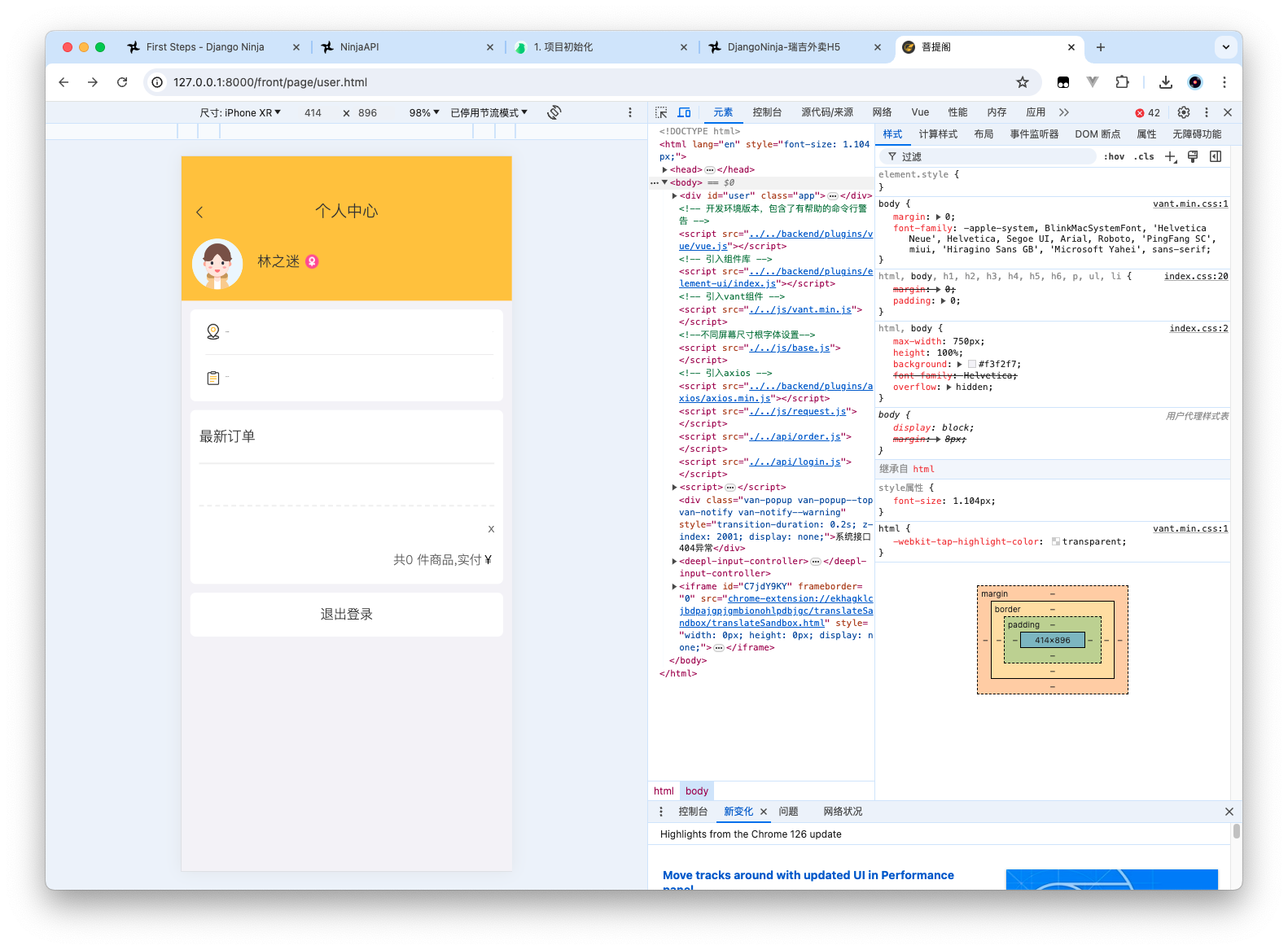
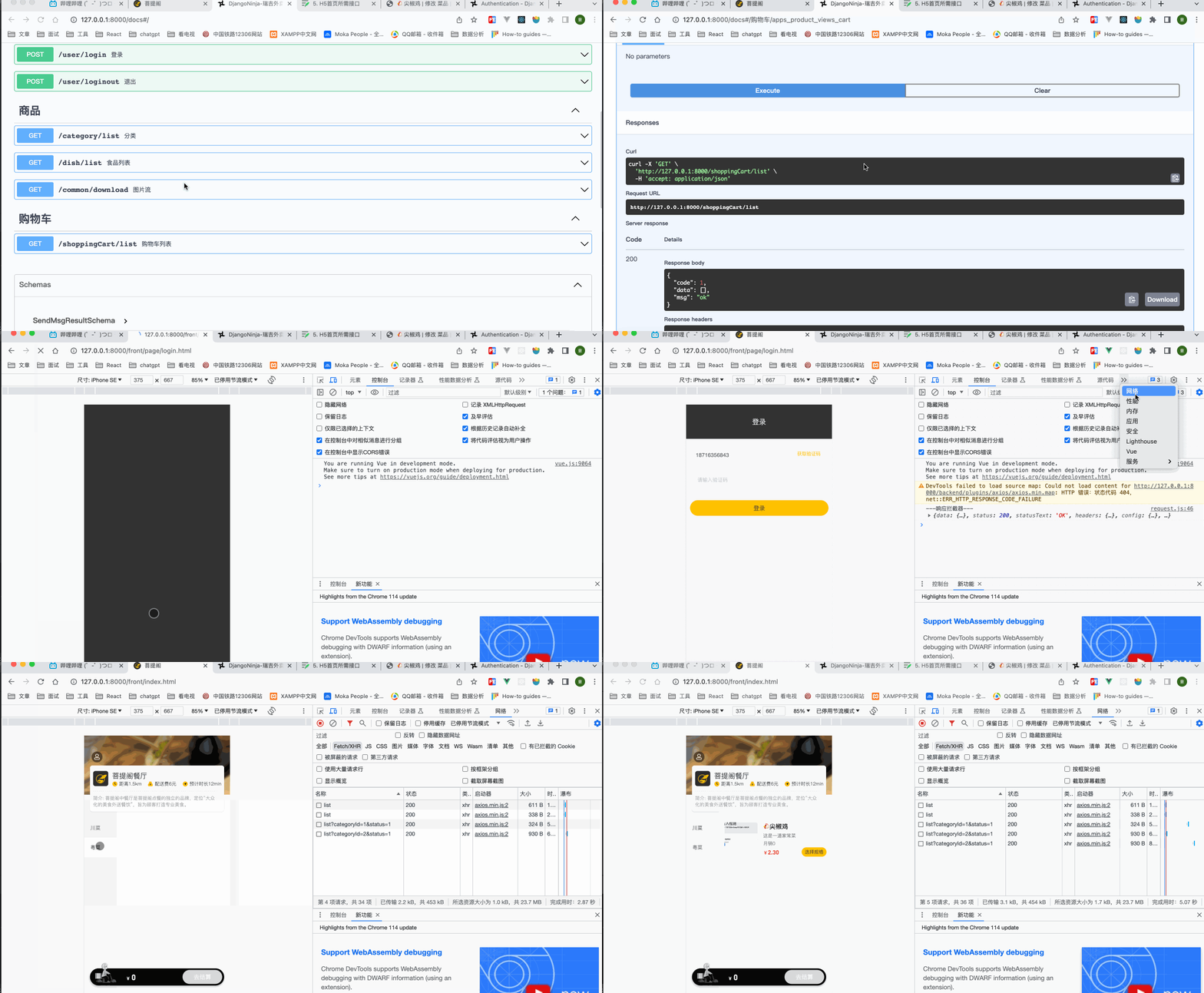
预览

H5 商品价格显示问题,修改takeout/static/front/index.html

1
2
<!-- <div class="divBottom"><span>¥</span><span>{{item.price / 100}}</span></div> -->
<div class="divBottom"><span></span><span>{{item.price}}</span></div>

暂时到这里

更新: 2024-07-17 22:54:08
原文: https://www.yuque.com/zacharyblock/cx2om6/awbybg98ch6hs25g