官方文档:Poetry - Python dependency management and packaging made easy
Real Python文档:Dependency Management With Python Poetry – Real Python
相关blog:Python 套件管理器——Poetry 完全入門指南 、使用 Python Poetry 进行依赖项管理(翻译)
poetry介绍 Poetry 是一种用于管理 Python 项目的工具,可简化依赖项管理。您可以使用 Poetry 来指定、安装和解析依赖项,确保您使用正确的包版本。Poetry 利用 pyproject.toml 文件进行配置,并维护 poetry.lock 文件以锁定依赖项,从而在不同机器之间提供一致的环境。
学习本教程之前应该对虚拟环境 、模块和包 以及 pip 有基本的了解。
同时 Poetry 还可以帮助为项目构建分发包 。如果想分享自己的作品,可以使用 Poetry 在 Python Packaging Index (PyPI) 上发布 的项目。
通常,您应该使用 pipx 等工具在系统范围内安装 Poetry。然后,您可以使用 poetry new 创建新项目,或使用 poetry init 将 Poetry 添加到现有项目。稍后,使用 poetry add 在项目中指定新的依赖项,并使用 poetry install 将列出的依赖项安装到环境中。通过了解如何有效地管理依赖关系,您可以确保您的项目是可重现和可维护的。
安装 poetry pip安装 注意:不是在项目下的虚拟环境安装,是在本机的 Python环境下安装
官方推荐安装 Linux, macOS, Windows (WSL)
1 curl -sSL https://install.python-poetry.org | python3 -
如果您使用的是 macOS,那么可能会收到一个 ssl.SSLCertVerificationError。如果您没有安装 SSL 模块的默认根证书(root certificates) ,则可能会发生此错误。可以通过在 Python 文件夹中运行命令脚本来安装它们:
1 open "/Applications/Python 3.9/Install Certificates.command"
根据您按照的 Python 版本,Python 解释器的特定路径可能会有所不同。在这种情况下,需要相应地调整上述命令中的路径。
运行命令后,上面的 curl 命令应该可以正常工作,没有任何错误。
Windows (Powershell)
1 (Invoke-WebRequest -Uri https://install.python-poetry.org -UseBasicParsing).Content | py -
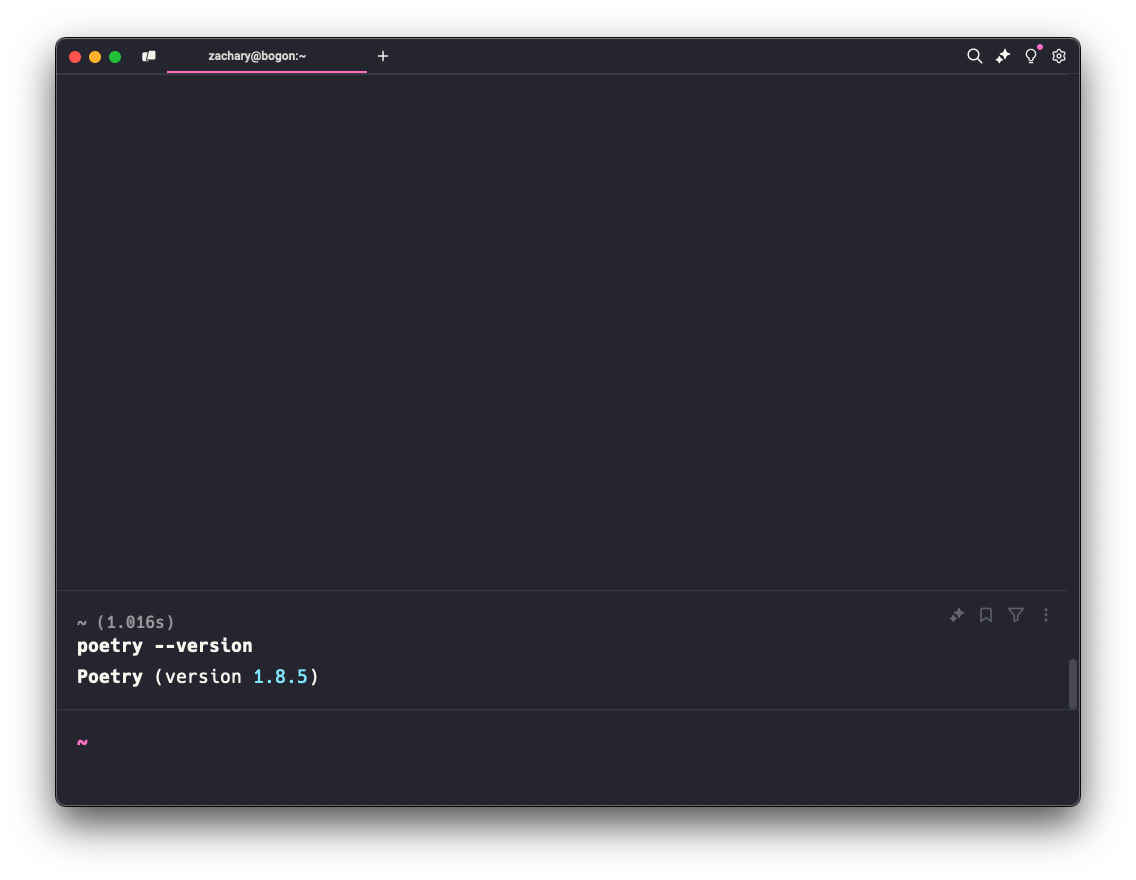
查看poetry 在输出中应该会看到安装完成的消息。可以在终端中运行 poetry --version 以查看 poetry 是否正常工作。此命令将显示当前的 Poetry 版本。如果想更新 Poetry,那么可以运行 poetry self update。
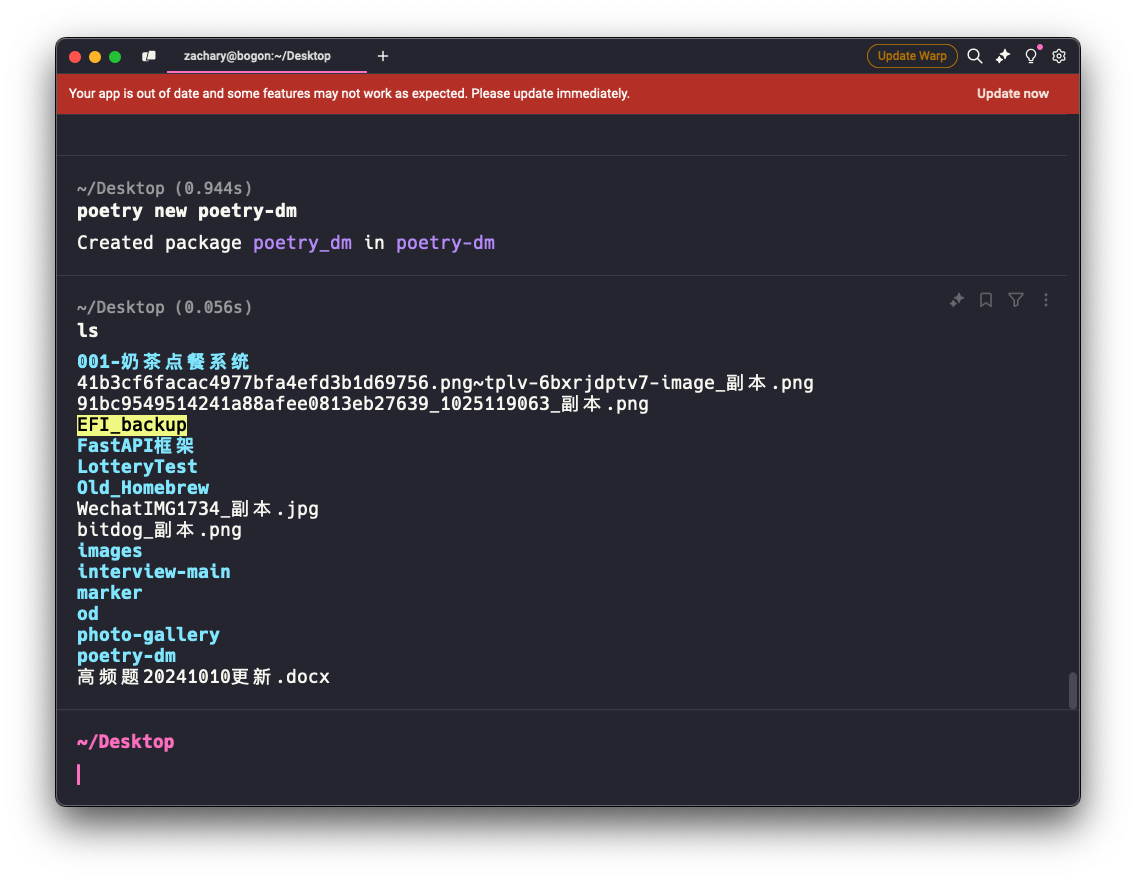
初识 poetry 创建新的poetry项目 使用poetry new [project-name]命令,创建一个新的 Poetry 项目,后跟所需的项目名称。
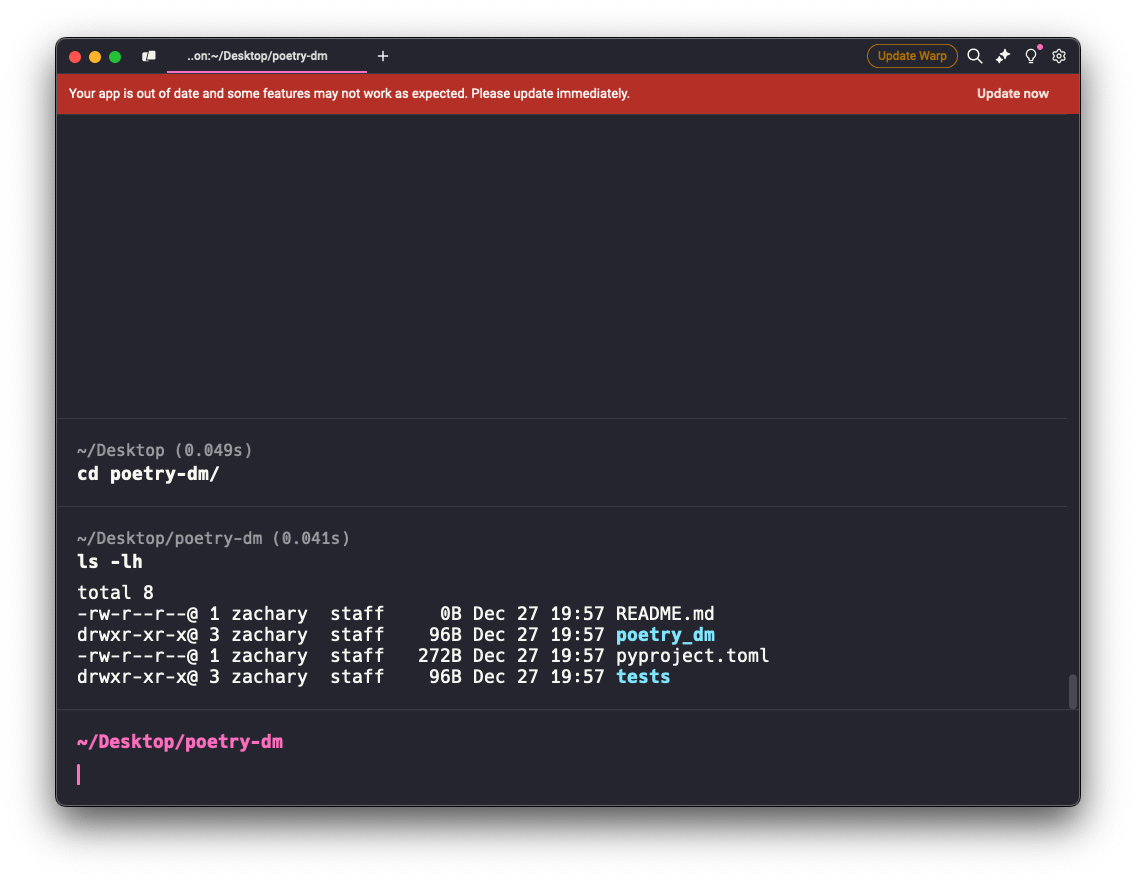
进入创建的项目目录后查看:
项目结构 1 2 3 4 5 6 7 . ├── README.md # readme 文件 ├── poetry_dm # 项目目录 │ └── __init__.py ├── pyproject.toml # toml文件 └── tests # 测试目录 └── __init__.py
可以发现 Poetry 将所提供名称中的破折号 (-) 转换为相应 poetry_dm/ 子文件夹中的下划线 (_)?该工具会自动为您规范化 Python 包名称。这可确保您能够将它们作为 Python 包导入。否则,poetry-dm 将不是有效的标识符,因为破折号表示 Python 语法中的减号运算符。
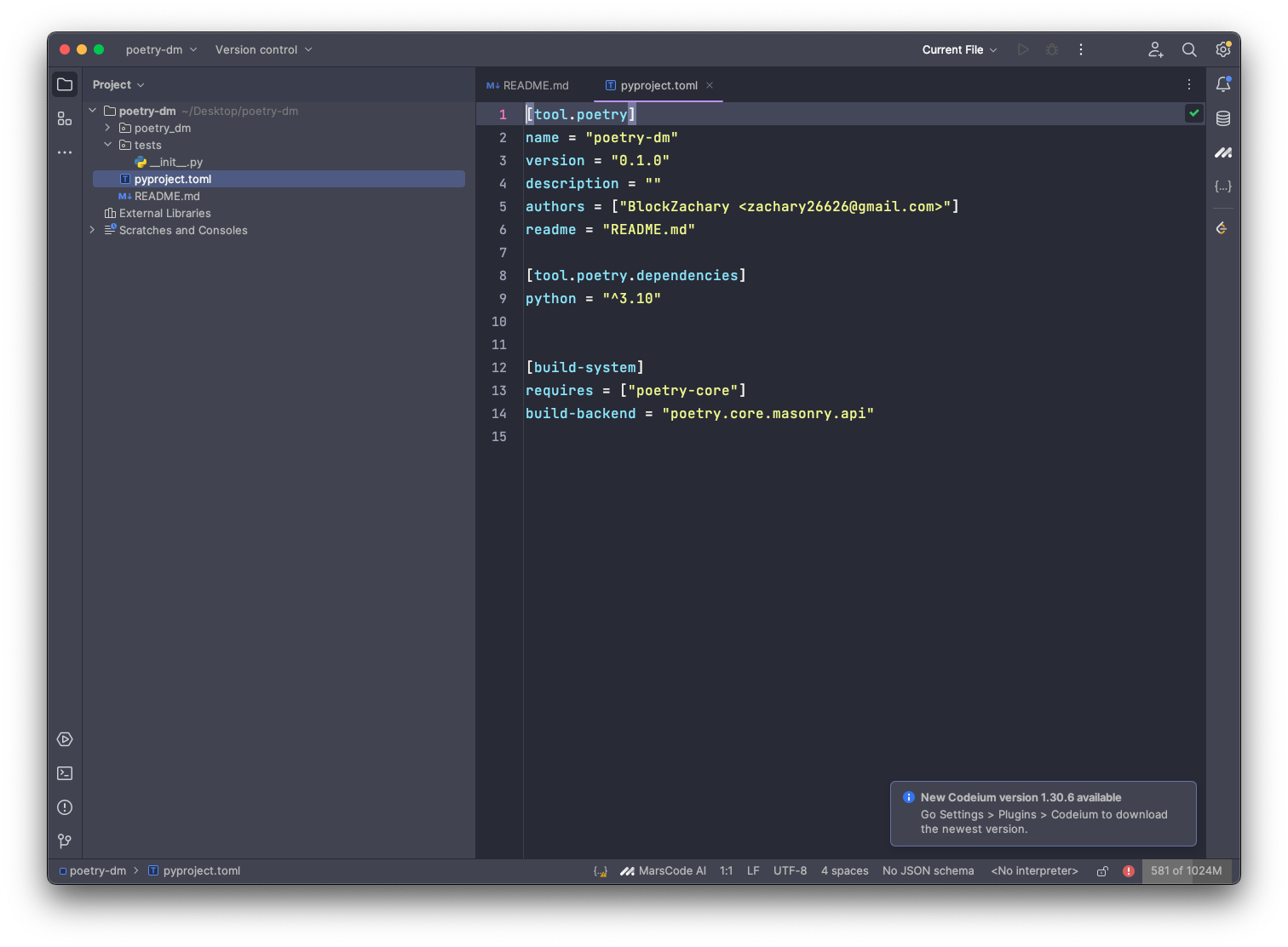
最重要的就是一个名为pyproject.toml的文件
作者考虑了上面引用的新配置文件的几种文件格式。最终,他们决定使用 TOML 格式,该格式代表 Tom’s Obvious Minimal Language 。在他们看来,TOML 足够灵活,同时比 YAML 、JSON、 CFG 或 INI 等其他选项具有更好的可读性和更低的复杂性。
pyproject.toml 文件以 [tool.poetry] 子表开头,您可以在其中存储有关项目的一般信息。Poetry 定义了一些在此子表中有效的表键 。虽然其中一些是可选的,但您必须始终指定四个:
**name**:将显示在 PyPI 上的分发包的名称**version**:包的版本,最好遵循语义版本控制 **description**:软件包的简短描述**authors**:作者列表,格式名称为 <email>
最后一个表,pyproject.toml 文件中第 12行的 [build-system],定义了 Poetry 和其他构建工具可以使用的元数据。如前所述,此表不是特定于工具的,因为它没有前缀。它有两个键:
**requires**:构建包所需的依赖项列表,使此键成为强制性的**build-backend**:用于执行构建过程的 Python 对象
使用 poetry 创建完成一个 poetry 项目之后,可以使用 poetry 提供的虚拟环境处理项目的依赖关系
使用 poetry 的虚拟环境 每个项目最好单独创建一个虚拟环境。避免混淆不同项目的不同依赖项。poetry 的核心功能之一就是虚拟环境,可以避免干扰全局 Python 的安装。
上面创建完了一个 poetry 项目,名称为 poetry-dm但并不会立即创建虚拟环境。
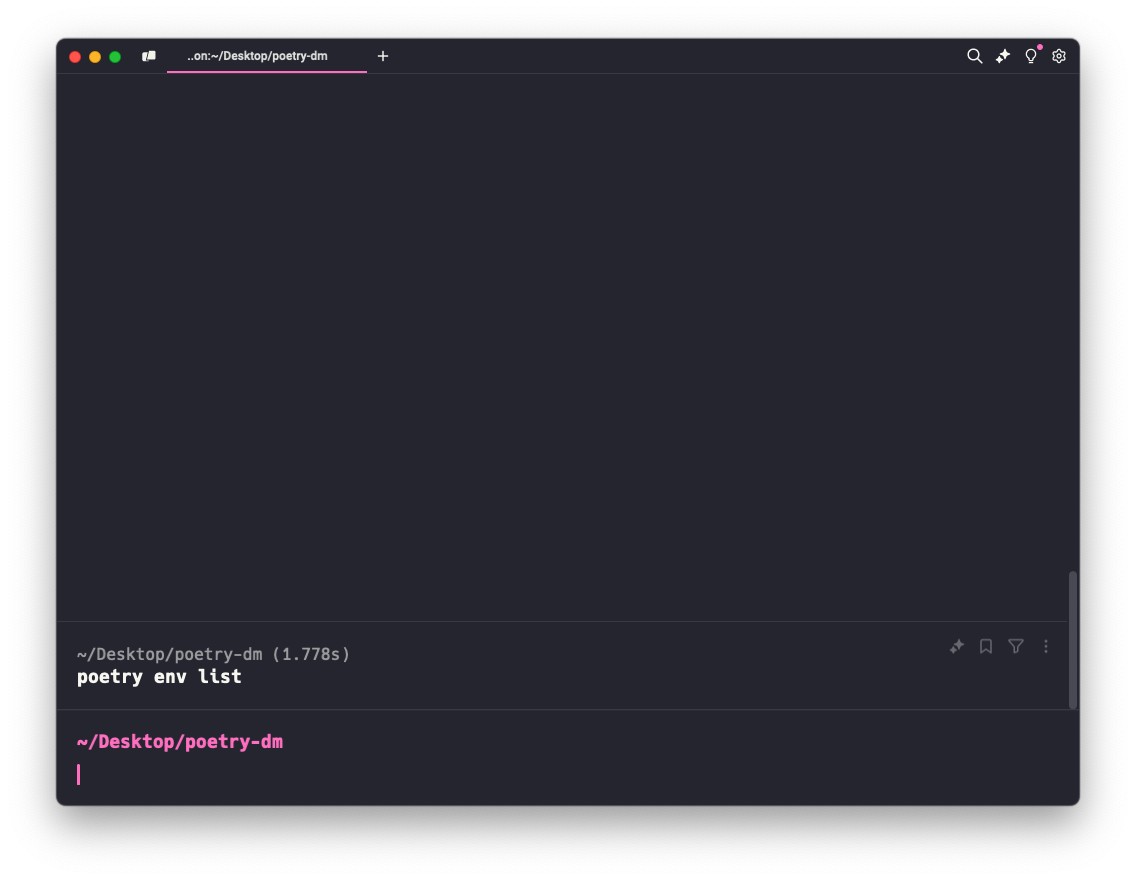
列出虚拟环境 可以通过命令 poetry env list来列出所有连接到当前项目的虚拟环境
目前输出为空,即当前项目没有连接虚拟环境。
创建虚拟环境 当在项目中使用 poetry 运行一些命令时,会创建一个虚拟环境。同时可以制定 poetry 使用哪个 Python 版本,例如
使用此命令,将使用与安装 poetry 相同版本的 Python,创建一个新的虚拟环境。
或者,也可以是一个本地的 Python 的路径,版本需要与 toml 中指定的 Python 版本一致,否则项目会有问题
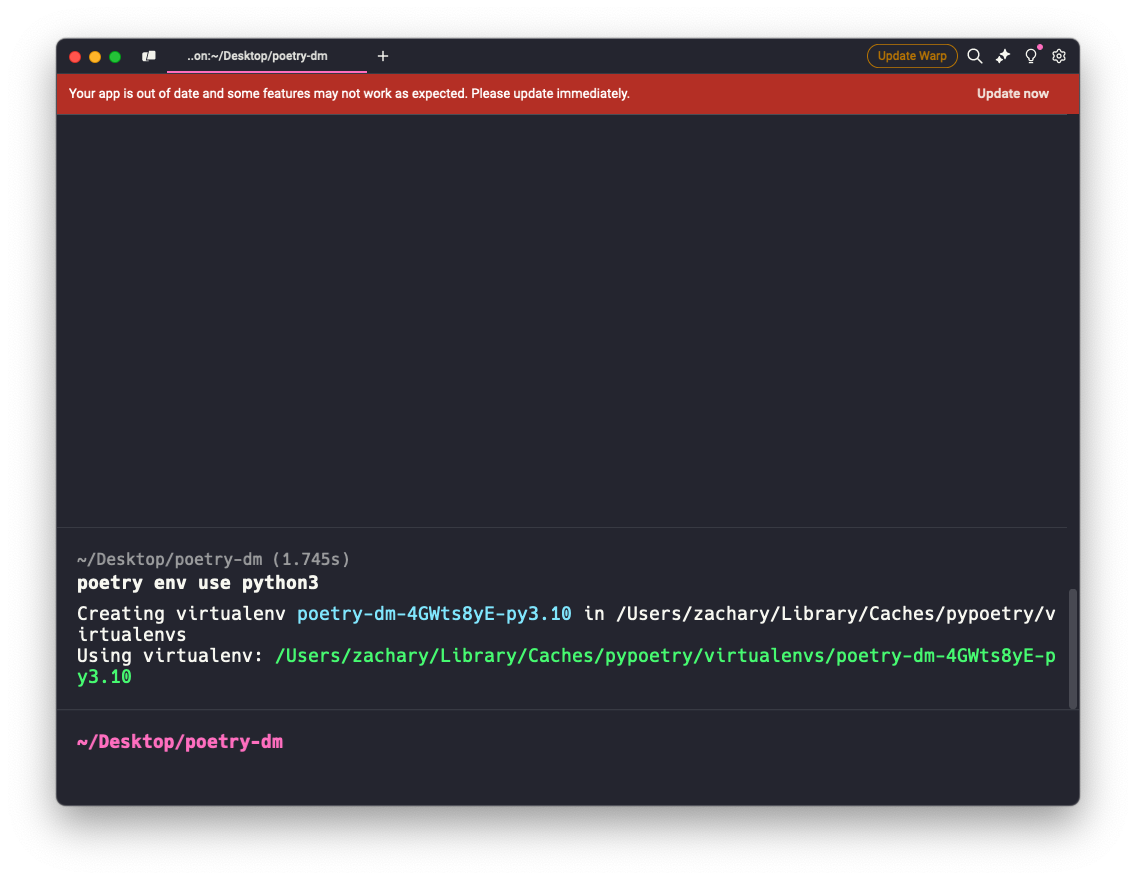
运行完命令之后,会看到以下内容
1 2 Creating virtualenv poetry-dm-4GWts8yE-py3.10 in /Users/zachary/Library/Caches/pypoetry/virtualenvs Using virtualenv: /Users/zachary/Library/Caches/pypoetry/virtualenvs/poetry-dm-4GWts8yE-py3.10
代表着刚才的命令创建了一个名为 poetry-dm-4GWts8yE-py3.10的虚拟环境
虚拟环境的名称包含:项目名和 Python 版本。中间看似随机的字符是父目录的哈希值。有了中间这个唯一的字符串,Poetry 可以在系统上处理多个具有相同名称和相同 Python 版本的项目。
虚拟环境位于 /Users/zachary/Library/Caches/pypoetry/virtualenvs
不同操作系统对应的虚拟环境创建目录
操作系统
路径
macOS
~/Library/Caches/pypoetry
Windows
C:\Users<username>\AppData\Local\pypoetry\Cache
Linux
~/.cache/pypoetry
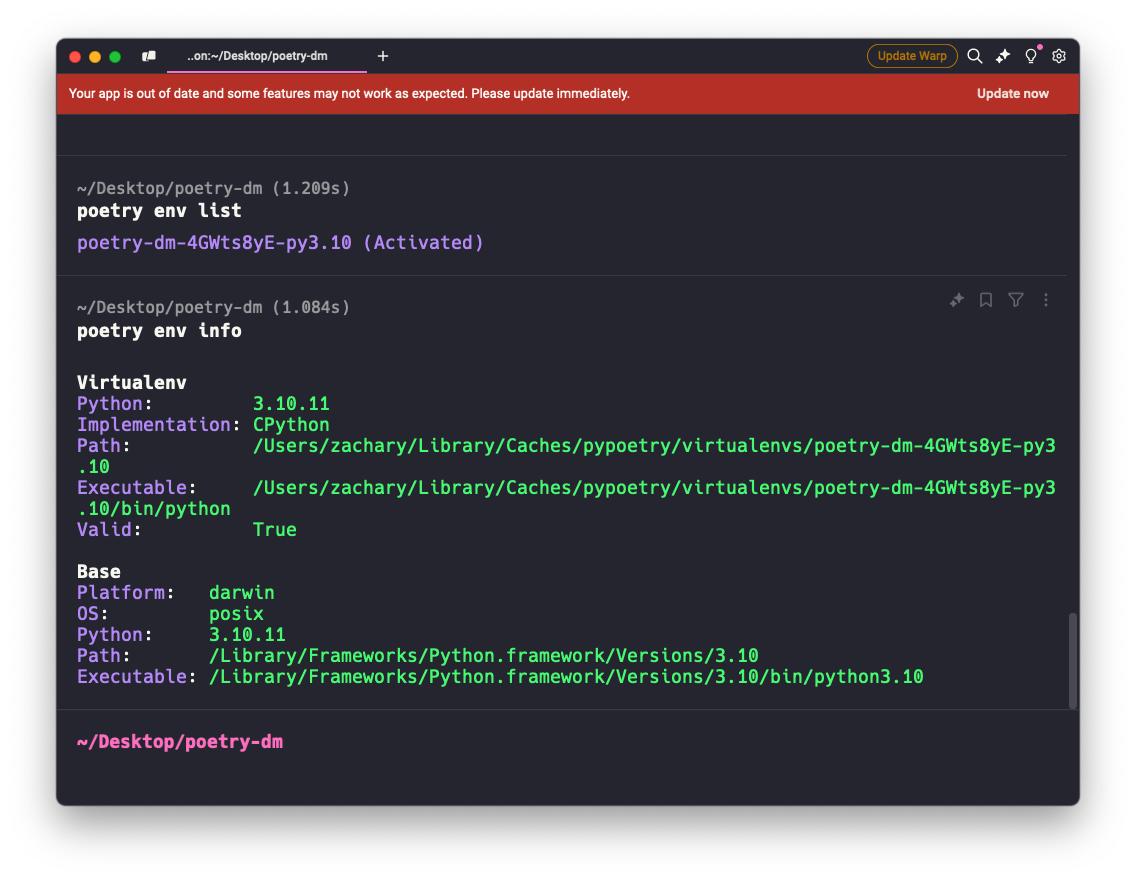
再次运行 poetry env list命令,可以看到已经创建好的虚拟环境
也可以使用 poetry env info命令查看当前项目已经激活的虚拟环境信息
自定义虚拟环境位置 也可能你并不想让所有的项目的虚拟环境都放在默认的缓存目录下,可以通过 poetry 命令 ,具体看 poetry configuration
在当前项目下创建虚拟环境 像以往使用 pip+venv 的方法创建虚拟环境的时候,默认会在项目目录下创建一个.venv 的虚拟环境,便于直接查看当前项目使用了哪些依赖项,同时在部署项目的时候会更方便查看
poetry 同样提供了这样的方法
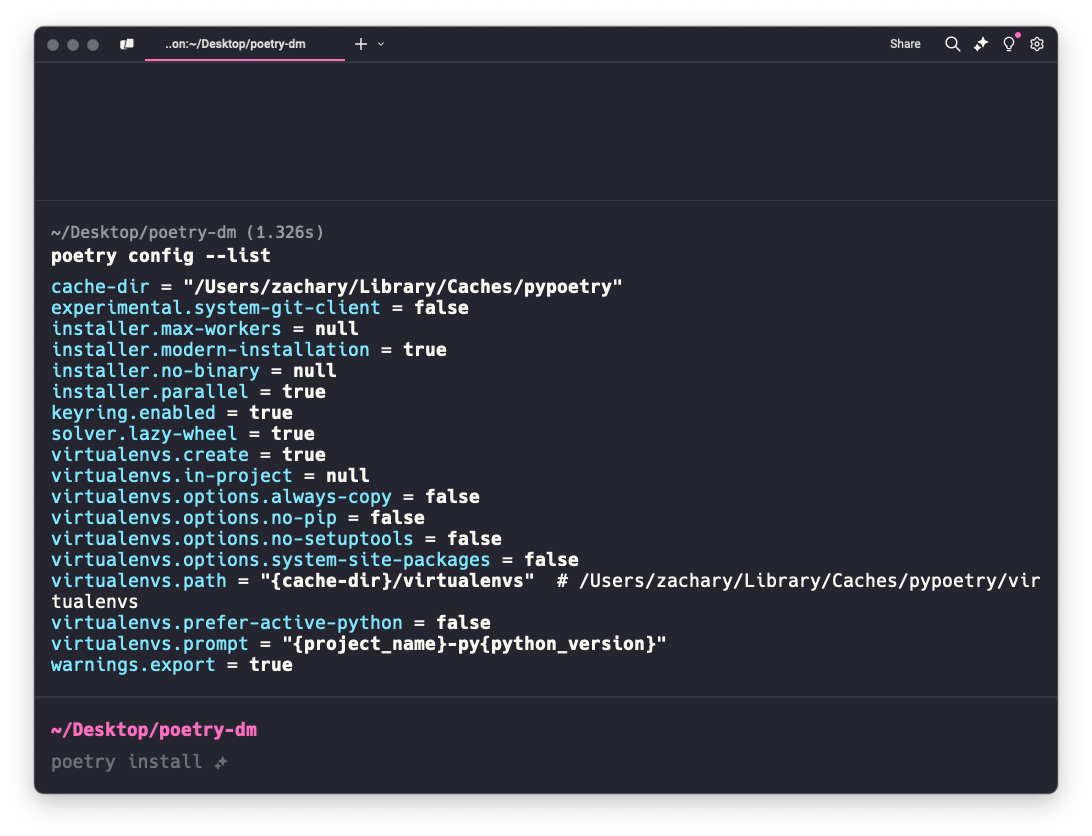
先使用 poetry config --list指令 查看一下配置项
其中 virtualenvs.in-project = null就是修改创建虚拟环境到项目目录的参数
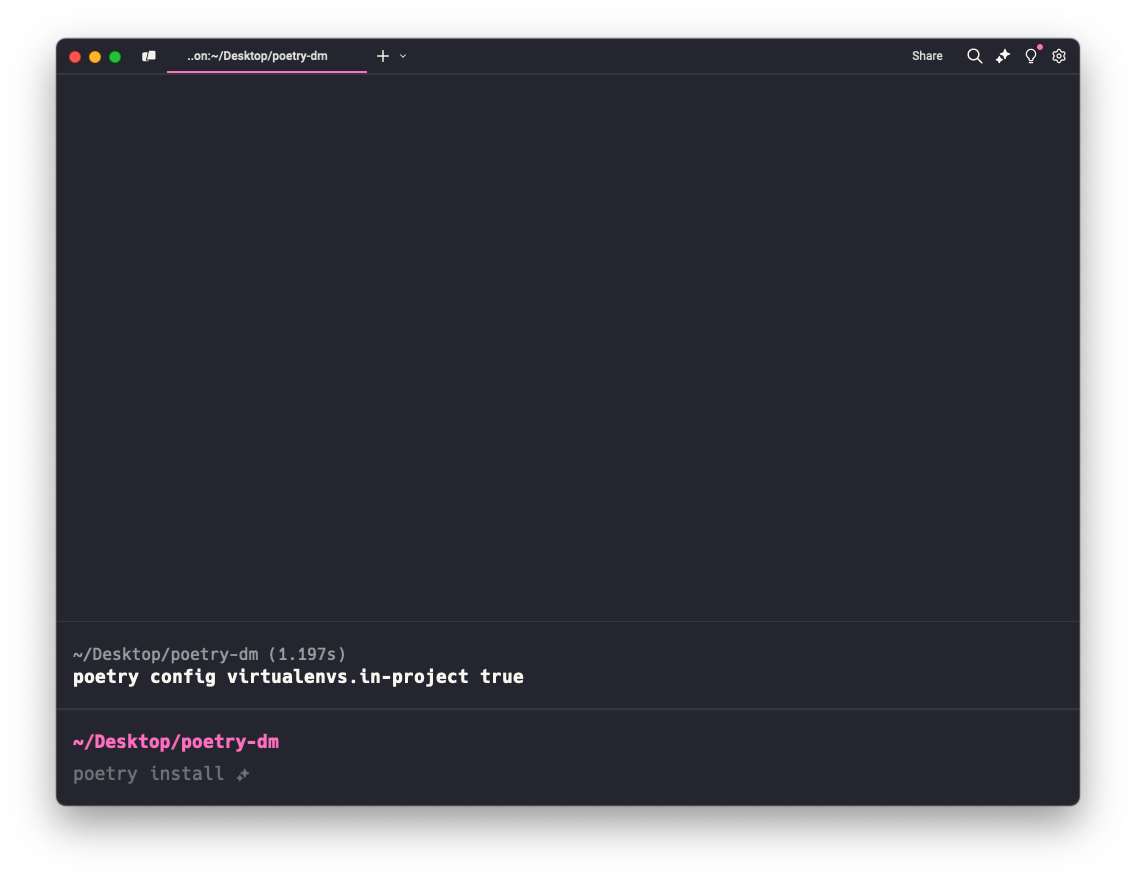
执行:
1 poetry config virtualenvs.in-project true
然后尝试一下在项目目录下创建虚拟环境
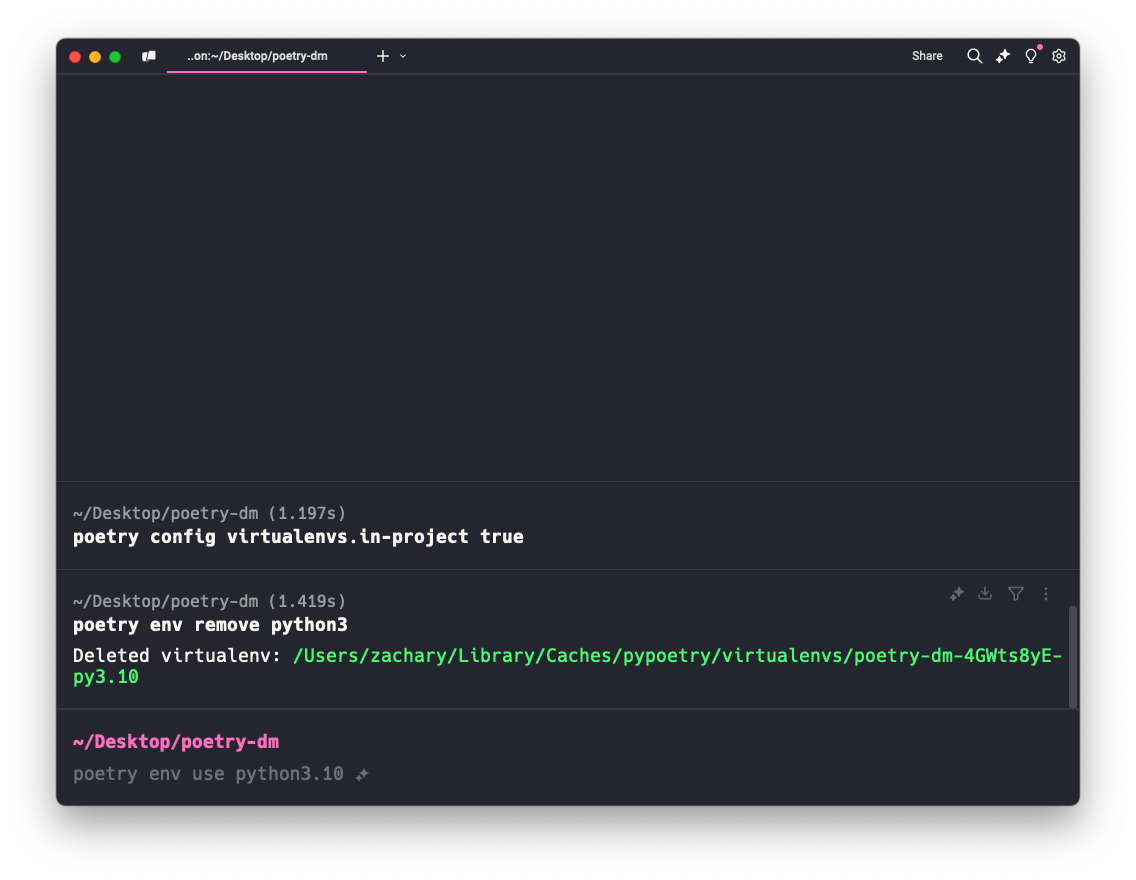
先删除掉之前创建的虚拟环境
1 poetry env remove python3
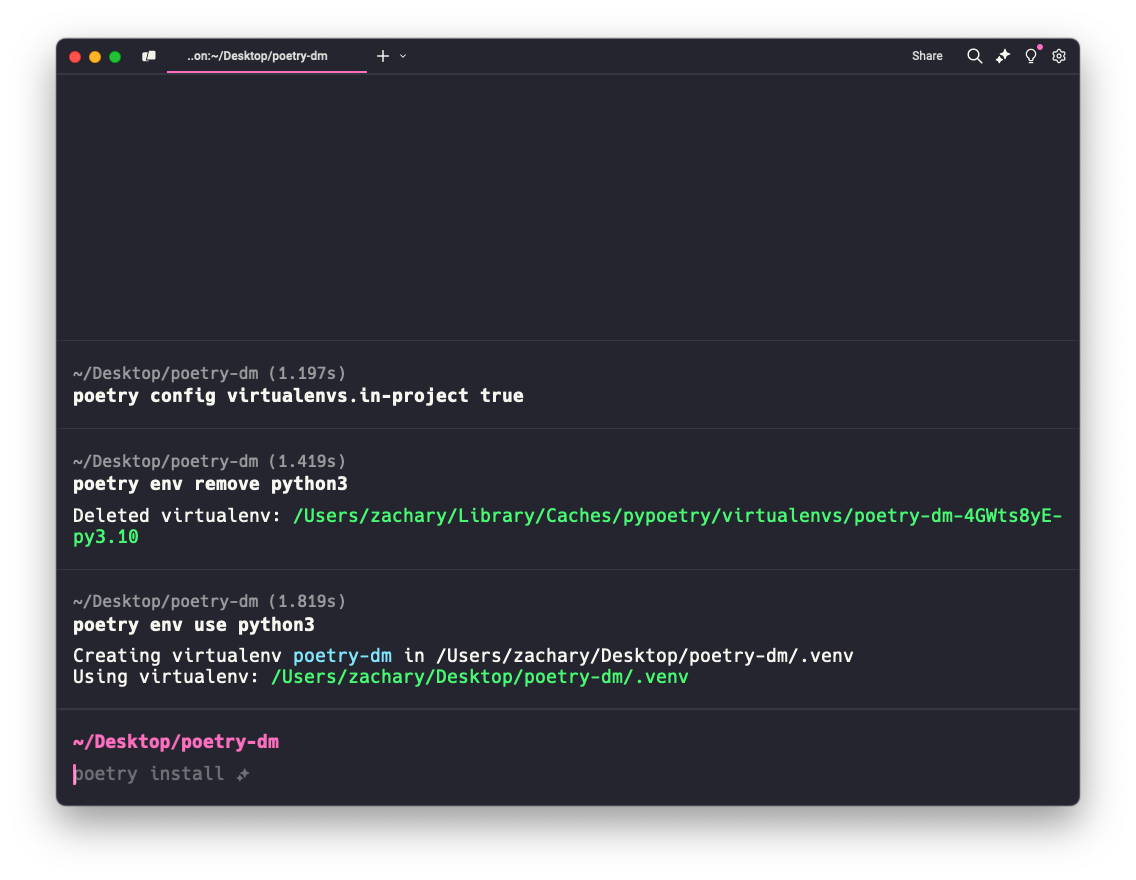
然后重新创建虚拟环境
可以看到
虚拟环境已经创建到了项目目录下
名称为 .venv
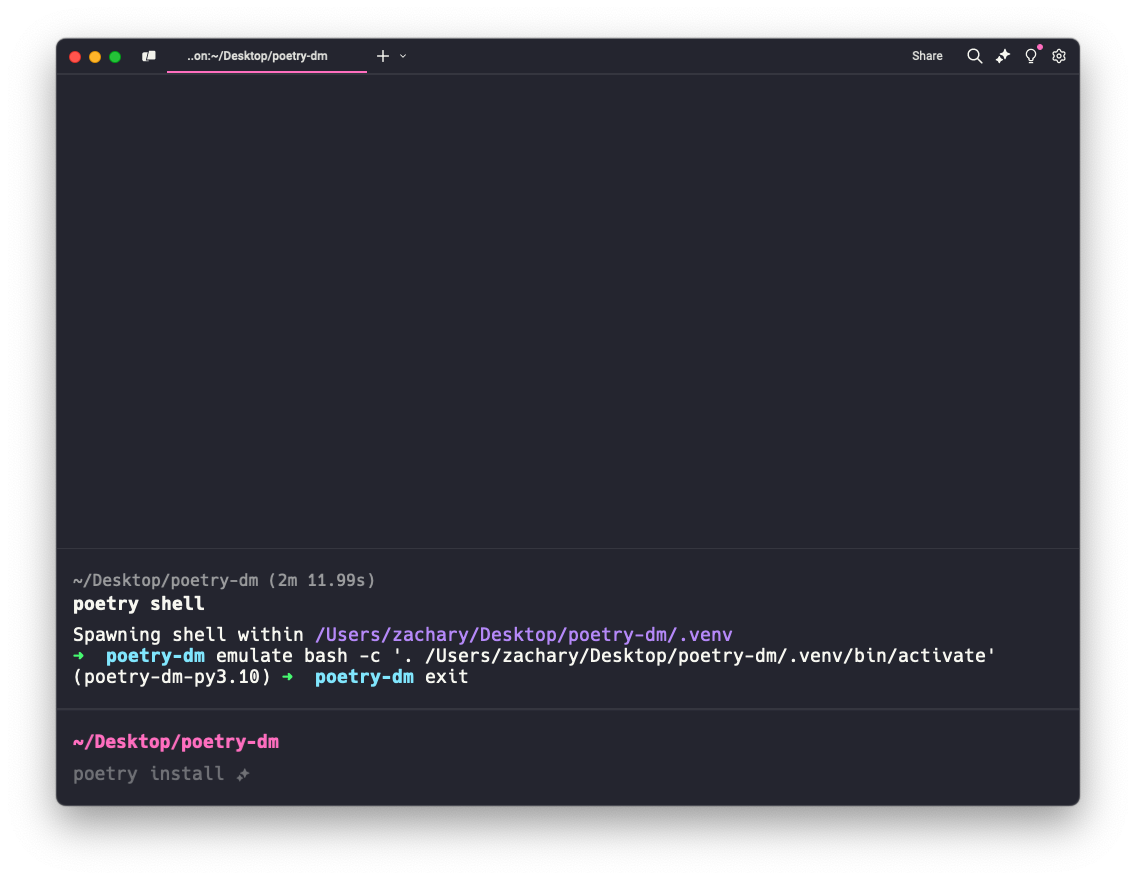
启动和退出虚拟环境 在项目的根目录下使用 poetry shell可以进入到虚拟环境
1 2 3 4 poetry shell Spawning shell within /Users/zachary/Desktop/poetry-dm/.venv ➜ poetry-dm emulate bash -c '. /Users/zachary/Desktop/poetry-dm/.venv/bin/activate' (poetry-dm-py3.10) ➜ poetry-dm
poetry shell 指令会检查当前目录或上层目录是否存在 pyproject.toml 来确定需要启动的虚拟环境,所以如果不移动到项目的目录下,则会出现错误。
退出虚拟环境,运行 exit
poetry 指令 安装模块/包 通过命令 poetry add [module/package]来安装 Python 包
尝试着在上面创建的项目下安装一个 FastAPI
先通过虚拟环境的 pip list 看下目前已有的包
1 2 3 4 5 6 7 8 9 poetry shell Spawning shell within /Users/zachary/Desktop/poetry-dm/.venv ➜ poetry-dm emulate bash -c '. /Users/zachary/Desktop/poetry-dm/.venv/bin/activate' (poetry-dm-py3.10) ➜ poetry-dm pip list Package Version ---------- ------- pip 24.3.1 setuptools 75.6.0 (poetry-dm-py3.10) ➜ poetry-dm
退出虚拟环境后,在项目下运行 poetry add fastapi
1 2 3 4 5 6 7 8 9 10 11 12 13 14 15 16 17 18 19 20 poetry add fastapi Using version ^0.115.6 for fastapi Updating dependencies Resolving dependencies... (16.6s) Package operations: 10 installs, 0 updates, 0 removals - Installing exceptiongroup (1.2.2) - Installing idna (3.10) - Installing sniffio (1.3.1) - Installing typing-extensions (4.12.2) - Installing annotated-types (0.7.0) - Installing anyio (4.7.0) - Installing pydantic-core (2.27.2) - Installing pydantic (2.10.4) - Installing starlette (0.41.3) - Installing fastapi (0.115.6) Writing lock file
会将所有的信息全部列出来,并且清楚的告知新增的依赖项及其对应版本
这时候查看一下 pyproject.toml
1 2 3 4 5 6 7 8 9 10 11 12 13 14 15 [tool.poetry] name = "poetry-dm" version = "0.1.0" description = "" authors = ["BlockZachary <zachary26626@gmail.com>" ]readme = "README.md" [tool.poetry.dependencies] python = "^3.10" fastapi = "^0.115.6" [build-system] requires = ["poetry-core" ]build-backend = "poetry.core.masonry.api"
对应的依赖项及版本号也添加进去了,但是能看到 fastapi 的依赖项并没有包括在里面,这可以更方便地管理用户自己安装的第三方模块,同时能区分哪些是依赖项
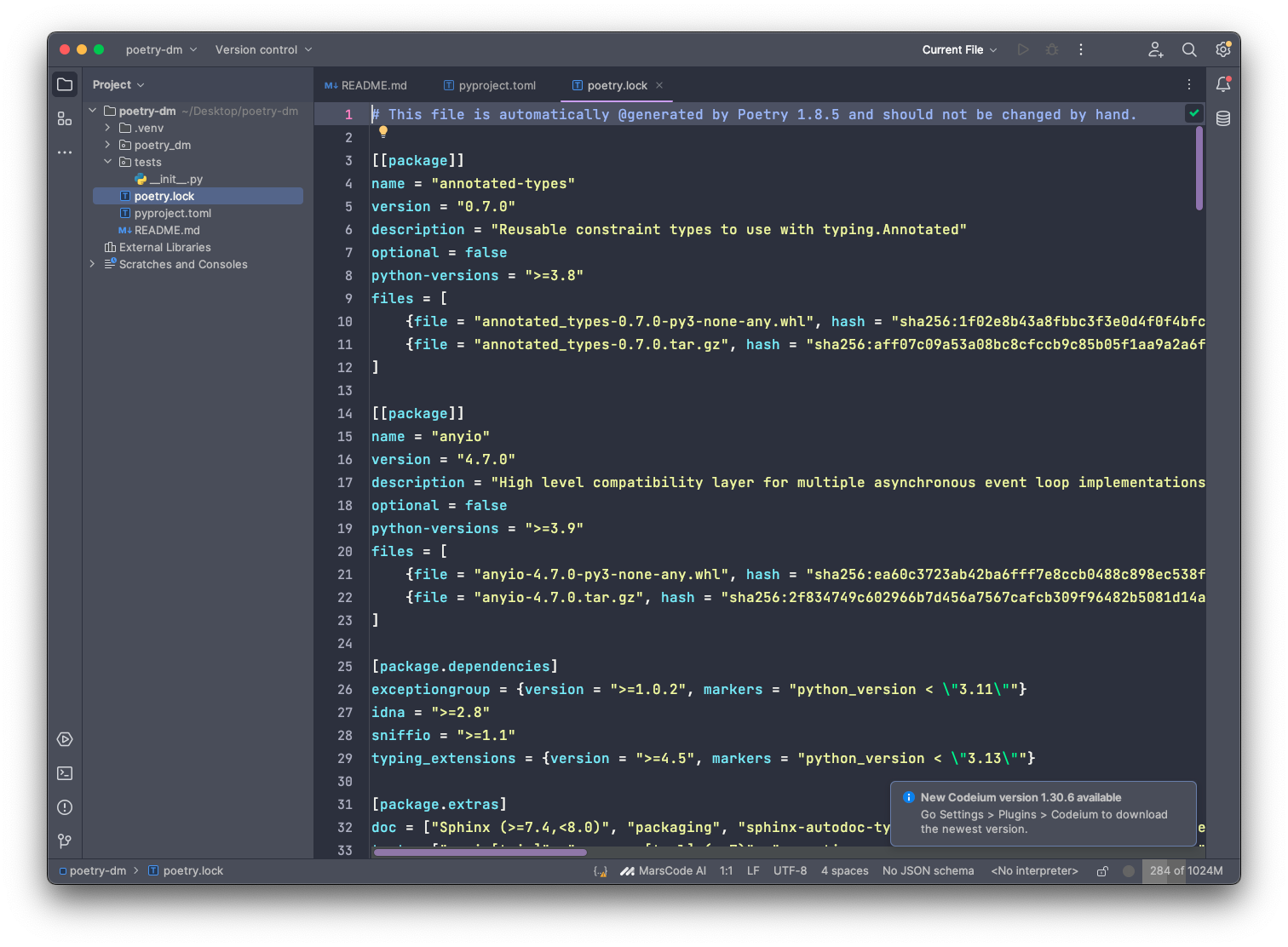
poetry.lock 此时,查看项目目录,会发现多了一个文件 poetry.lock
1 2 3 4 5 6 7 8 9 10 . ├── README.md ├── poetry.lock ├── poetry_dm │ └── __init__.py ├── pyproject.toml └── tests └── __init__.py 2 directories, 5 files
在上一步操作中,使用 poetry add命令添加了 fastapi 的依赖,除了会更新 pyproject.toml文件,还新增了这个 poetry.lock文件,实际上类似于之前使用 pip 管理依赖时候的 requirements.txt,记录了所有依赖和版本。
现在可以详细说明一下,使用了 poetry add命令后,做了那些事:
更新 pyproject.toml
依据 pyproject.toml更新 poetry.lock
依据 poetry.lock更新虚拟环境
小结:poetry.lock文件是依赖于 pyproject.toml的,但两者并不会联动,需要执行某些指令才会进行同步与更新,如: poetry add
更新 poetry.lock :poetry lock 命令 | poetry install 肯定存在这样的情况,比如我们手动在 pyproject.toml中添加了 或者修改了依赖
这时候需要进行 poetry.lock、pyproject.toml和虚拟环境 的同步与更新。
需要按顺序执行以下两个指令:
poetry lock 更新 poetry.lock 文件poetry install 依据 poetry.lock 文件更新虚拟环境
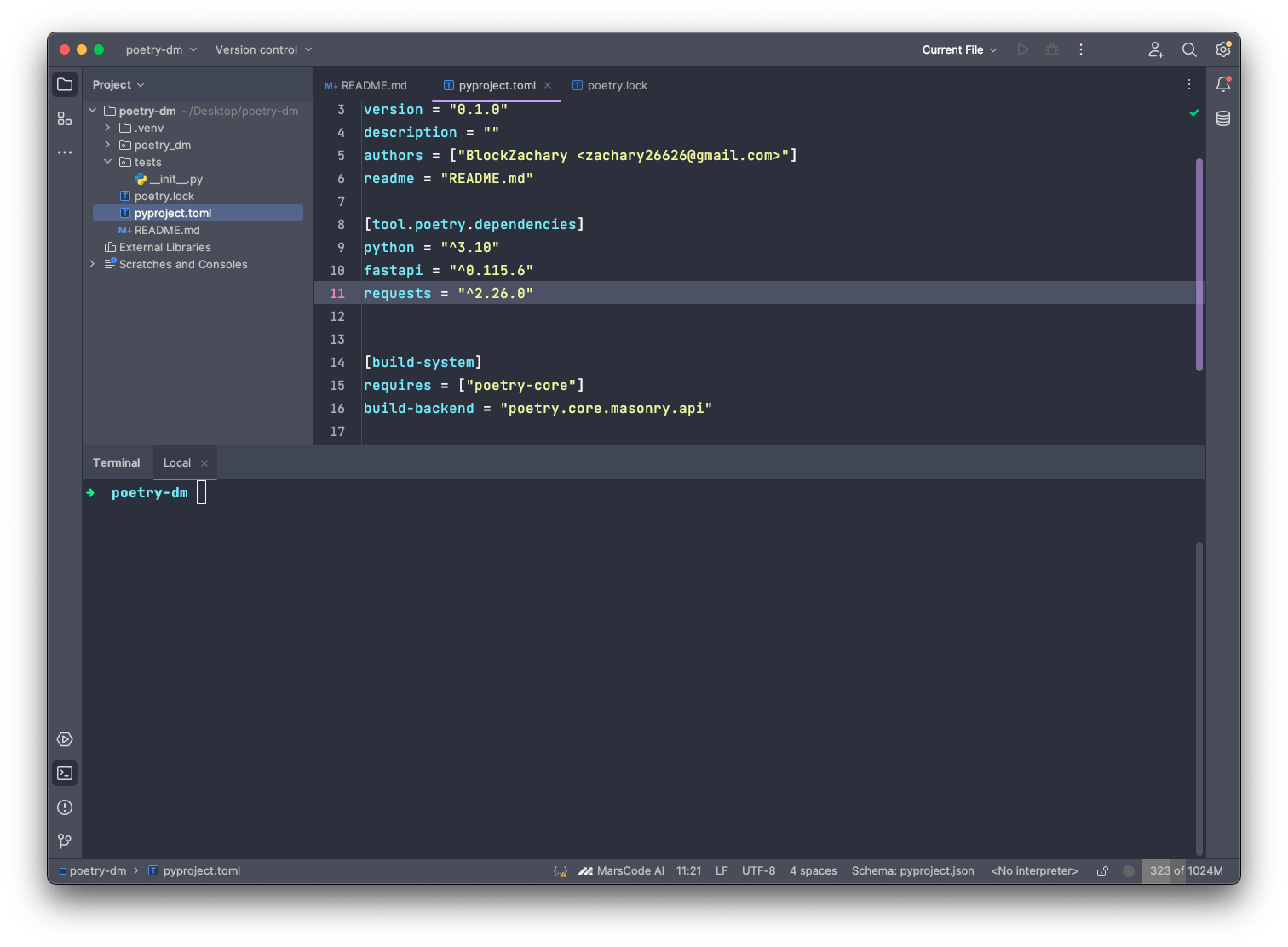
那就来一个例子,比如当我手动在 pyproject.toml中添加了一个 requests = "^2.26.0"的依赖
如果直接查看当前项目虚拟环境的包
1 2 3 ➜ poetry-dm poetry show Because poetry-dm depends on requests (^2.26.0) which doesn't match any versions, version solving failed.
此时需要先执行一下 poetry lock
1 2 3 4 5 ➜ poetry-dm poetry lock Updating dependencies Resolving dependencies... (16.7s) Writing lock file
然后再执行 poetry install
1 2 3 4 5 6 7 8 9 10 11 ➜ poetry-dm poetry install Installing dependencies from lock file Package operations: 4 installs, 0 updates, 0 removals - Installing certifi (2024.12.14) - Installing charset-normalizer (3.4.1) - Installing urllib3 (2.3.0) - Installing requests (2.32.3) Installing the current project: poetry-dm (0.1.0)
这时候再使用 poetry show查看当前环境包
1 2 3 4 5 6 7 8 9 10 11 12 13 14 15 ➜ poetry-dm poetry show annotated-types 0.7.0 Reusable constraint types to use with typing.Annotated anyio 4.7.0 High level compatibility layer for multiple asynchronous event loop implementations certifi 2024.12.14 Python package for providing Mozilla's CA Bundle. charset-normalizer 3.4.1 The Real First Universal Charset Detector. Open, modern and actively maintained alternative to ... exceptiongroup 1.2.2 Backport of PEP 654 (exception groups) fastapi 0.115.6 FastAPI framework, high performance, easy to learn, fast to code, ready for production idna 3.10 Internationalized Domain Names in Applications (IDNA) pydantic 2.10.4 Data validation using Python type hints pydantic-core 2.27.2 Core functionality for Pydantic validation and serialization requests 2.32.3 Python HTTP for Humans. sniffio 1.3.1 Sniff out which async library your code is running under starlette 0.41.3 The little ASGI library that shines. typing-extensions 4.12.2 Backported and Experimental Type Hints for Python 3.8+ urllib3 2.3.0 HTTP library with thread-safe connection pooling, file post, and more.
当你在使用 poetry lock命令时,如果有适合当前版本的依赖项可以更新的,还会自动进行更新。如果不想该操作进行依赖更新,可以使用 --no-update选项
如: poetry lock --no-update
该操作,poetry 仅解析新的依赖项,保留 poetry.lock 文件中现有依赖版本不变
查看依赖 在上一步的操作中,有一个命令 poetry show,用于查看当前项目激活的虚拟环境的包信息;当然还有更高级的一个用法 poetry show --tree,使用这个命令可以更清楚直观地看到我们添加的依赖和依赖的依赖项的树状关系,如:
1 2 3 4 5 6 7 8 9 10 11 12 13 14 15 16 17 18 19 ➜ poetry-dm poetry show --tree fastapi 0.115.6 FastAPI framework, high performance, easy to learn, fast to code, ready for production ├── pydantic >=1.7.4,<1.8 || >1.8,<1.8.1 || >1.8.1,<2.0.0 || >2.0.0,<2.0.1 || >2.0.1,<2.1.0 || >2.1.0,<3.0.0 │ ├── annotated-types >=0.6.0 │ ├── pydantic-core 2.27.2 │ │ └── typing-extensions >=4.6.0,<4.7.0 || >4.7.0 │ └── typing-extensions >=4.12.2 (circular dependency aborted here) ├── starlette >=0.40.0,<0.42.0 │ └── anyio >=3.4.0,<5 │ ├── exceptiongroup >=1.0.2 │ ├── idna >=2.8 │ ├── sniffio >=1.1 │ └── typing-extensions >=4.5 └── typing-extensions >=4.8.0 requests 2.32.3 Python HTTP for Humans. ├── certifi >=2017.4.17 ├── charset-normalizer >=2,<4 ├── idna >=2.5,<4 └── urllib3 >=1.21.1,<3
可以详细看到 各依赖间版本的需求以及树状关系
当然,更贴心的还可以单独查看某个依赖的详细信息,如:
1 2 3 4 5 6 7 8 9 10 11 12 13 14 ➜ poetry-dm poetry show fastapi --tree fastapi 0.115.6 FastAPI framework, high performance, easy to learn, fast to code, ready for production ├── pydantic >=1.7.4,<1.8 || >1.8,<1.8.1 || >1.8.1,<2.0.0 || >2.0.0,<2.0.1 || >2.0.1,<2.1.0 || >2.1.0,<3.0.0 │ ├── annotated-types >=0.6.0 │ ├── pydantic-core 2.27.2 │ │ └── typing-extensions >=4.6.0,<4.7.0 || >4.7.0 │ └── typing-extensions >=4.12.2 (circular dependency aborted here) ├── starlette >=0.40.0,<0.42.0 │ └── anyio >=3.4.0,<5 │ ├── exceptiongroup >=1.0.2 │ ├── idna >=2.8 │ ├── sniffio >=1.1 │ └── typing-extensions >=4.5 └── typing-extensions >=4.8.0
依赖分组 在开发环境下,我们会使用到 pytest、black 等依赖,进行代码的测试、格式化等。
但是在生产环境或者部署的时候,并不需要这些依赖;过多依赖会导致项目过大,所以这些开发环境下需要的依赖,可以进行分组
poetry 可以将这些依赖安装至 dev-dependencies下,方便让你建立一份不包含开发模块的安装清单
比如:
1 2 3 4 5 6 7 8 9 10 11 12 13 14 15 16 17 18 19 20 21 ➜ poetry-dm poetry add pytest black --group dev Using version ^8.3.4 for pytest Using version ^24.10.0 for black Updating dependencies Resolving dependencies... (17.8s) Package operations: 10 installs, 0 updates, 0 removals - Installing click (8.1.8) - Installing iniconfig (2.0.0) - Installing mypy-extensions (1.0.0) - Installing packaging (24.2) - Installing pathspec (0.12.1) - Installing platformdirs (4.3.6) - Installing pluggy (1.5.0) - Installing tomli (2.2.1) - Installing black (24.10.0) - Installing pytest (8.3.4) Writing lock file
然后可以在更新的 pyproject.toml中看到变化:
1 2 3 4 5 6 7 8 9 10 11 12 13 14 15 16 17 18 19 20 [tool.poetry] name = "poetry-dm" version = "0.1.0" description = "" authors = ["BlockZachary <zachary26626@gmail.com>" ]readme = "README.md" [tool.poetry.dependencies] python = "^3.10" fastapi = "^0.115.6" requests = "^2.26.0" [tool.poetry.group.dev.dependencies] pytest = "^8.3.4" black = "^24.10.0" [build-system] requires = ["poetry-core" ]build-backend = "poetry.core.masonry.api"
pytest、black 被放在了 [tool.poetry.group.dev.dependencies] 下
强烈建议使用 --group dev进行分组
善用 --group dev 参数,明确区分开发环境,我认为非常必要。
首先,这些模块常常属于「检测型」工具,相关的依赖模块着实不少!比如 flake8 ,它依赖了 pycodestyle 、 pyflakes 、 mccabe 等等,还有 black 、 pre-commit ,依赖模块数量也都很可观。
更新依赖 使用 poetry update 指令即可:
上面指令会更新全部可能可以更新的模块,也可以仅指定特定模块,比如:
1 poetry update requests toml
关于 poetry update 的其余参数,请参考文件 。
还一件重要的事,那就是关于模块版本的升级限制规则,取决于你在 pyproject.toml 中的设定。
移除依赖 使用 poetry remove
由于 poetry 提供了依赖解析功能,所以会在移除某一模块的时候,将其依赖模块一并移除,这是 pip 做不到的
假设需要移除之前添加的 requests 模块,如:
1 2 3 4 5 6 7 8 9 10 11 12 ➜ poetry-dm poetry remove requests Updating dependencies Resolving dependencies... (0.1s) Package operations: 0 installs, 0 updates, 4 removals - Removing certifi (2024.12.14) - Removing charset-normalizer (3.4.1) - Removing requests (2.32.3) - Removing urllib3 (2.3.0) Writing lock file
对应的会更新 pyproject.toml
1 2 3 4 5 6 7 8 9 10 11 12 13 14 15 16 17 18 19 [tool.poetry] name = "poetry-dm" version = "0.1.0" description = "" authors = ["BlockZachary <zachary26626@gmail.com>" ]readme = "README.md" [tool.poetry.dependencies] python = "^3.10" fastapi = "^0.115.6" [tool.poetry.group.dev.dependencies] pytest = "^8.3.4" black = "^24.10.0" [build-system] requires = ["poetry-core" ]build-backend = "poetry.core.masonry.api"
同时如果再次查看 poetry show --tree
1 2 3 4 5 6 7 8 9 10 11 12 13 14 15 16 17 18 19 20 21 22 23 24 25 26 27 28 29 30 ➜ poetry-dm poetry show --tree black 24.10.0 The uncompromising code formatter. ├── click >=8.0.0 │ └── colorama * ├── mypy-extensions >=0.4.3 ├── packaging >=22.0 ├── pathspec >=0.9.0 ├── platformdirs >=2 ├── tomli >=1.1.0 └── typing-extensions >=4.0.1 fastapi 0.115.6 FastAPI framework, high performance, easy to learn, fast to code, ready for production ├── pydantic >=1.7.4,<1.8 || >1.8,<1.8.1 || >1.8.1,<2.0.0 || >2.0.0,<2.0.1 || >2.0.1,<2.1.0 || >2.1.0,<3.0.0 │ ├── annotated-types >=0.6.0 │ ├── pydantic-core 2.27.2 │ │ └── typing-extensions >=4.6.0,<4.7.0 || >4.7.0 │ └── typing-extensions >=4.12.2 (circular dependency aborted here) ├── starlette >=0.40.0,<0.42.0 │ └── anyio >=3.4.0,<5 │ ├── exceptiongroup >=1.0.2 │ ├── idna >=2.8 │ ├── sniffio >=1.1 │ └── typing-extensions >=4.5 └── typing-extensions >=4.8.0 pytest 8.3.4 pytest: simple powerful testing with Python ├── colorama * ├── exceptiongroup >=1.0.0rc8 ├── iniconfig * ├── packaging * ├── pluggy >=1.5,<2 └── tomli >=1
同样可以移除 dev 下的,如:
1 2 3 4 5 6 7 8 9 10 11 12 13 14 15 16 17 18 19 20 21 22 23 24 25 26 27 28 29 30 31 32 33 34 35 36 37 38 39 40 41 42 43 44 45 46 47 48 49 50 51 52 ➜ poetry-dm poetry remove black Updating dependencies Resolving dependencies... (0.1s) Package operations: 0 installs, 0 updates, 5 removals - Removing black (24.10.0) - Removing click (8.1.8) - Removing mypy-extensions (1.0.0) - Removing pathspec (0.12.1) - Removing platformdirs (4.3.6) Writing lock file [tool.poetry] name = "poetry-dm" version = "0.1.0" description = "" authors = ["BlockZachary <zachary26626@gmail.com>"] readme = "README.md" [tool.poetry.dependencies] python = "^3.10" fastapi = "^0.115.6" [tool.poetry.group.dev.dependencies] pytest = "^8.3.4" [build-system] requires = ["poetry-core"] build-backend = "poetry.core.masonry.api" ➜ poetry-dm poetry show --tree fastapi 0.115.6 FastAPI framework, high performance, easy to learn, fast to code, ready for production ├── pydantic >=1.7.4,<1.8 || >1.8,<1.8.1 || >1.8.1,<2.0.0 || >2.0.0,<2.0.1 || >2.0.1,<2.1.0 || >2.1.0,<3.0.0 │ ├── annotated-types >=0.6.0 │ ├── pydantic-core 2.27.2 │ │ └── typing-extensions >=4.6.0,<4.7.0 || >4.7.0 │ └── typing-extensions >=4.12.2 (circular dependency aborted here) ├── starlette >=0.40.0,<0.42.0 │ └── anyio >=3.4.0,<5 │ ├── exceptiongroup >=1.0.2 │ ├── idna >=2.8 │ ├── sniffio >=1.1 │ └── typing-extensions >=4.5 └── typing-extensions >=4.8.0 pytest 8.3.4 pytest: simple powerful testing with Python ├── colorama * ├── exceptiongroup >=1.0.0rc8 ├── iniconfig * ├── packaging * ├── pluggy >=1.5,<2 └── tomli >=1
输出 poetry 虚拟环境的 requirements.txt 事实上,使用了 poetry 管理依赖的话,只靠 poetry.lock文件足以
但是,如果项目到了部署阶段或者使用的是 Docker 等部署环境,poetry 就用不了了。
所以仍旧需要将 poetry.lock转化为 requirements.txt
误区 :一定会认为,既然虚拟环境已经在项目目录里,切换到虚拟环境然后使用 pip freeze输出一下 requirements.txt就可以了,NoNoNo
我这么操作一下试试:
1 2 3 4 5 ➜ poetry-dm poetry shell Spawning shell within /Users/zachary/Desktop/poetry-dm/.venv ➜ poetry-dm emulate bash -c '. /Users/zachary/Desktop/poetry-dm/.venv/bin/activate' (poetry-dm-py3.10) ➜ poetry-dm pip freeze > requirements.txt (poetry-dm-py3.10) ➜ poetry-dm
在项目目录下的 requirements.txt文件是这样的
1 2 3 4 5 6 7 8 9 10 11 12 13 14 15 16 17 annotated-types==0.7.0 anyio==4.7.0 exceptiongroup==1.2.2 fastapi==0.115.6 idna==3.10 iniconfig==2.0.0 packaging==24.2 pluggy==1.5.0 # Editable install with no version control (poetry-dm==0.1.0) -e /Users/zachary/Desktop/poetry-dm pydantic==2.10.4 pydantic_core==2.27.2 pytest==8.3.4 sniffio==1.3.1 starlette==0.41.3 tomli==2.2.1 typing_extensions==4.12.2
文件有点小问题
通过使用 poetry export -f 输出文件 -o 输出文件 --without-hashes命令将虚拟环境依赖导出
1 2 3 4 ➜ poetry-dm poetry export -f requirements.txt -o requirements.txt --without-hashes Warning: poetry-plugin-export will not be installed by default in a future version of Poetry. In order to avoid a breaking change and make your automation forward-compatible, please install poetry-plugin-export explicitly. See https://python-poetry.org/docs/plugins/#using-plugins for details on how to install a plugin. To disable this warning run 'poetry config warnings.export false'.
Warning 部分是告诉我们以后得版本需要单独安装一下导出插件,可以不管他,也可以运行他提示的命令取消这个提示
然后查看一下 requirements.txt
1 2 3 4 5 6 7 8 9 10 annotated-types==0.7.0 ; python_version >= "3.10" and python_version < "4.0" anyio==4.7.0 ; python_version >= "3.10" and python_version < "4.0" exceptiongroup==1.2.2 ; python_version >= "3.10" and python_version < "3.11" fastapi==0.115.6 ; python_version >= "3.10" and python_version < "4.0" idna==3.10 ; python_version >= "3.10" and python_version < "4.0" pydantic-core==2.27.2 ; python_version >= "3.10" and python_version < "4.0" pydantic==2.10.4 ; python_version >= "3.10" and python_version < "4.0" sniffio==1.3.1 ; python_version >= "3.10" and python_version < "4.0" starlette==0.41.3 ; python_version >= "3.10" and python_version < "4.0" typing-extensions==4.12.2 ; python_version >= "3.10" and python_version < "4.0"
似乎是没啥错误的,但怎么只有 fastapi 及相应的依赖,没有我 dev 环境下的 pytest 呢
因为 poetry export 预设只会输出 toml 中的 [tool.poetry.dependencies] 区块的模块,我们上面把 pytest 安装到 [tool.poetry.dev-dependencies]了
使用这个命令 poetry export -f requirements.txt -o requirements.txt --without-hashes --dev
1 2 3 4 5 6 7 8 9 10 11 12 13 14 15 16 annotated-types==0.7.0 ; python_version >= "3.10" and python_version < "4.0" anyio==4.7.0 ; python_version >= "3.10" and python_version < "4.0" colorama==0.4.6 ; python_version >= "3.10" and python_version < "4.0" and sys_platform == "win32" exceptiongroup==1.2.2 ; python_version >= "3.10" and python_version < "3.11" fastapi==0.115.6 ; python_version >= "3.10" and python_version < "4.0" idna==3.10 ; python_version >= "3.10" and python_version < "4.0" iniconfig==2.0.0 ; python_version >= "3.10" and python_version < "4.0" packaging==24.2 ; python_version >= "3.10" and python_version < "4.0" pluggy==1.5.0 ; python_version >= "3.10" and python_version < "4.0" pydantic-core==2.27.2 ; python_version >= "3.10" and python_version < "4.0" pydantic==2.10.4 ; python_version >= "3.10" and python_version < "4.0" pytest==8.3.4 ; python_version >= "3.10" and python_version < "4.0" sniffio==1.3.1 ; python_version >= "3.10" and python_version < "4.0" starlette==0.41.3 ; python_version >= "3.10" and python_version < "4.0" tomli==2.2.1 ; python_version >= "3.10" and python_version < "3.11" typing-extensions==4.12.2 ; python_version >= "3.10" and python_version < "4.0"
更多详细操作 可以参考我提供的官方文档或者博客内容
poetry 指令清单
poetry add
poetry remove
poetry export
poetry env use
poetry shell
poetry show
poetry init
poetry install
修改 poetry 镜像源 与 pip 一样可以修改安装依赖时候的镜像源,可以加快一些时候的安装速度
1 poetry source add tsinghua https://pypi.tuna.tsinghua.edu.cn/simple
附上常用镜像源
阿里云 http://mirrors.aliyun.com/pypi/simple/
豆瓣 http://pypi.douban.com/simple/
清华大学 https://pypi.tuna.tsinghua.edu.cn/simple/
中国科学技术大学 http://pypi.mirrors.ustc.edu.cn/simple/
华中科技大学 http://pypi.hustunique.com/
总结 poetry总结:
Poetry 是一个依赖项管理器 ,可确保包版本一致并简化 Python 项目设置。您可以使用 pipx 或官方安装程序 在系统范围内安装 Poetry ,以便更好地管理环境。
由于潜在的依赖项冲突,不建议 在项目环境中使用 pip 安装 Poetry 。
基本的 Poetry CLI 命令 包括 poetry new、poetry add、poetry install 和 poetry update。poetry.lock 文件 锁定依赖项版本,确保环境可重现。通过使用 poetry update 或 poetry lock 更新 poetry.lock 文件来解决依赖关系冲突 。
最佳实践 包括将 poetry.lock 文件提交到版本控制,并避免系统范围的软件包安装。